How to Read a Power Station Runtime Calculator Result
Separate compatibility from duration and check the model, load profile, path, assumptions, warnings, and uncertainty behind the displayed estimate.
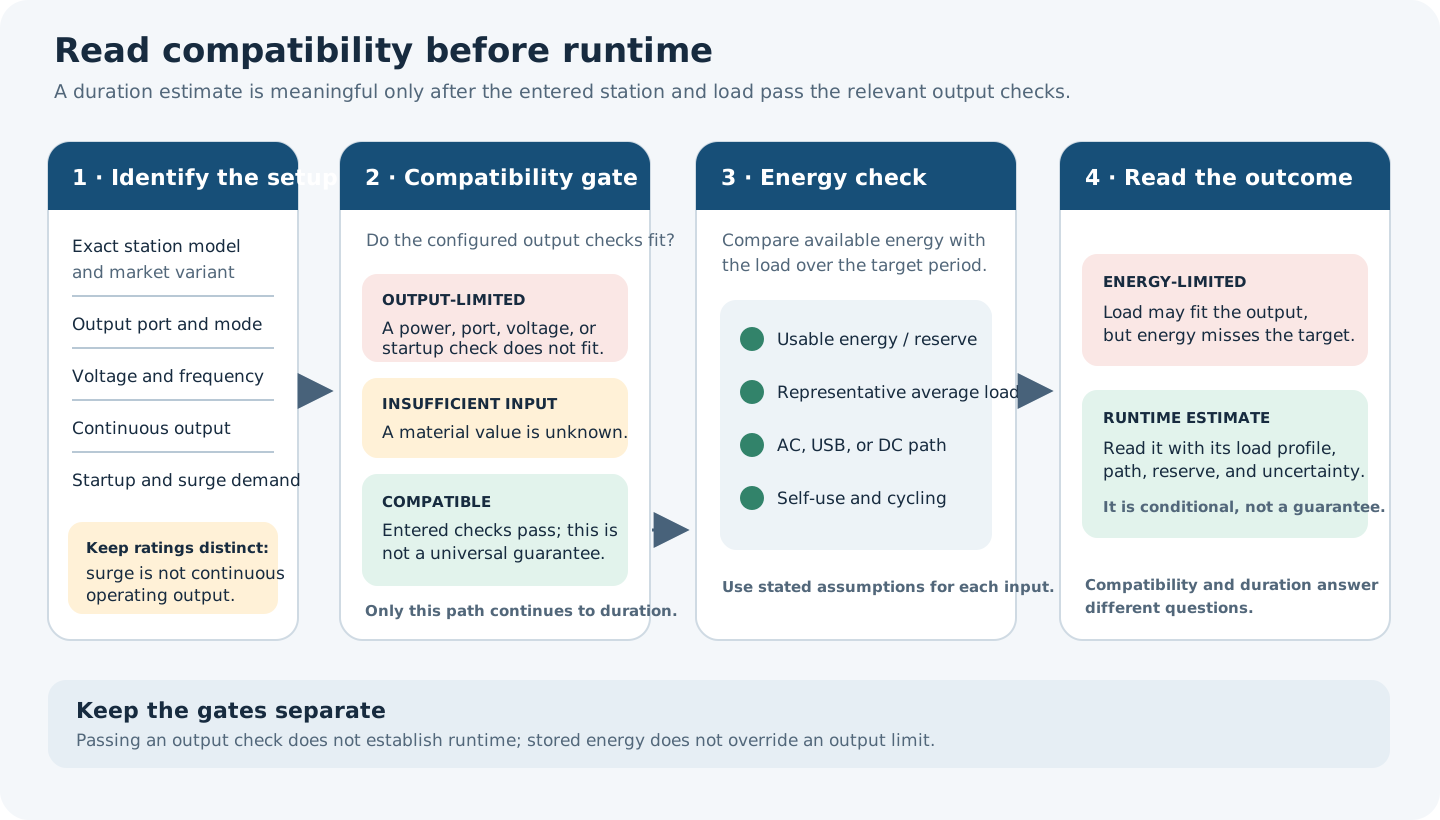
A runtime result is useful when it shows both the estimate and the conditions behind it. Read compatibility and duration as separate answers: the station may have enough stored energy for the target period but still fail an output limit, or it may support the load while running out of energy sooner than expected.
Read the compatibility result first
Check the exact station model and market variant, output port, voltage, frequency, continuous wattage, surge demand, and any shared-port limit. A result marked compatible means only that the entered values passed the calculator’s documented checks. It does not certify an installation or prove that the appliance will work under every condition.
For example, the BLUETTI AC180P V1.0 manual lists 1,800 W total AC output and a separate 2,700 W surge rating. A result should not treat the surge number as a continuous operating limit.
An output-limited result means a power, port, voltage, or startup check does not fit the entered station data. An energy-limited result means the load may fit the output but the entered available energy is below the target period. Insufficient input means a material value is missing or unknown. Those states should not be turned into confident runtime numbers by substituting a generic surge multiplier or guessed model efficiency.
Inspect each assumption
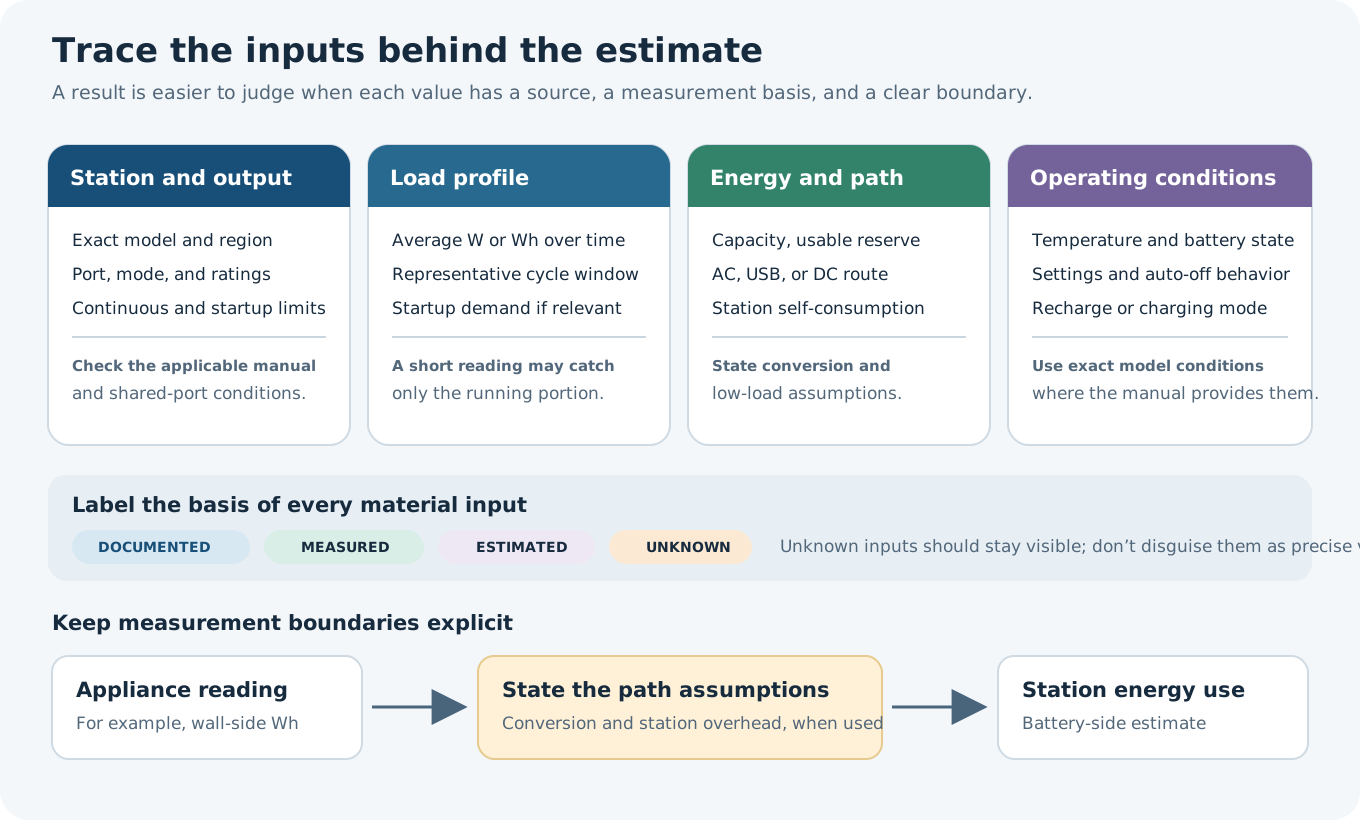
Look for:
- nominal capacity versus usable energy or reserve;
- measured average watts or Wh over time, not only nameplate watts;
- AC, USB, or DC path and any path-specific conversion assumption;
- station self-consumption and low-load behavior;
- duty-cycle window and startup demand;
- temperature, battery condition, settings, and recharge assumptions;
- whether each input is documented, measured, estimated, or unresolved.
A result should not combine a wall-side appliance reading with battery-side station use without accounting for the boundary. If the device cycles, a short reading may represent its running state rather than its average. The U.S. Department of Energy’s measurement summary explains why fluctuating power should be measured over time. Replace a weak input with a representative measurement when practical.
Treat ranges and warnings honestly
A range can help show how a result changes with uncertain reserve, conversion efficiency, or load profile. It is not automatically a statistical confidence interval. A very narrow range is misleading if the model, startup behavior, or duty cycle has not been verified. If key inputs are unknown, state what to measure or where to find the exact manual value.
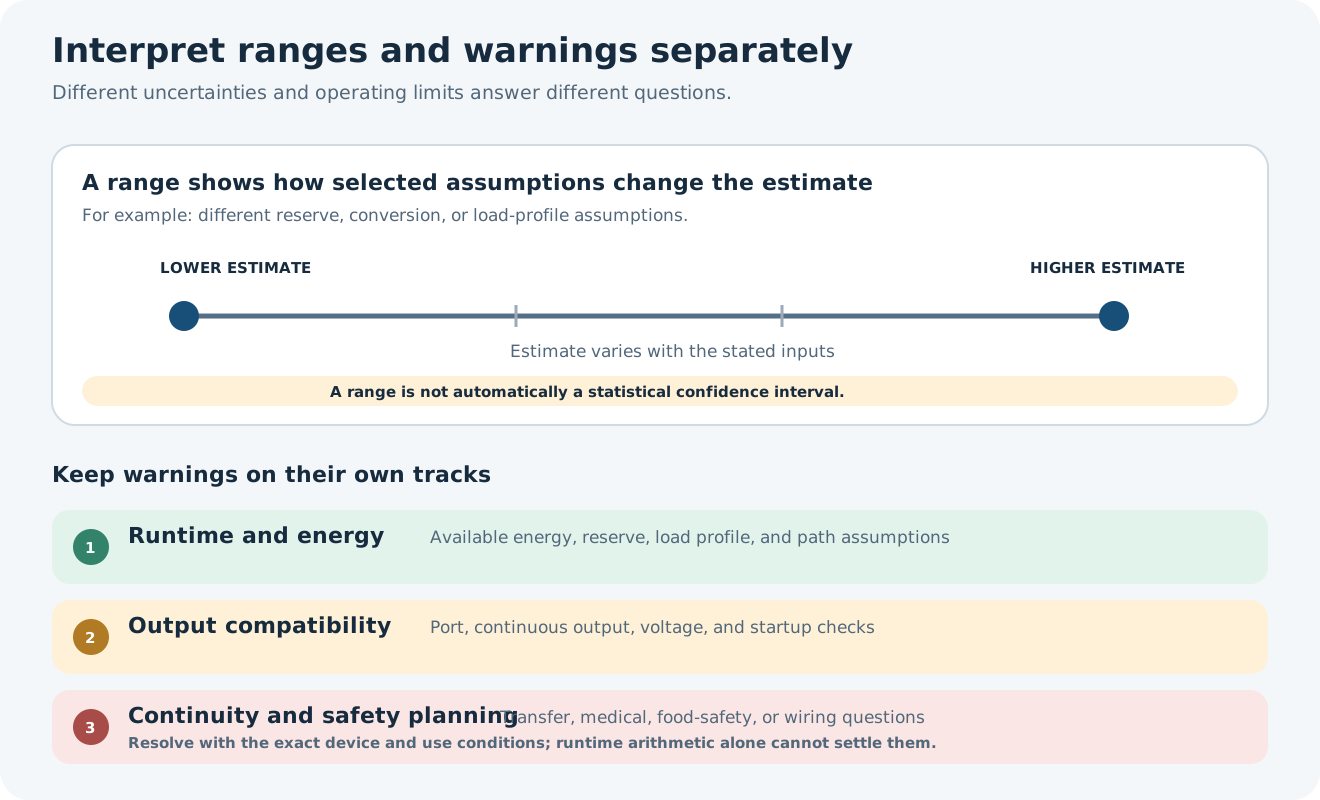
An UPS or EPS transfer claim is a separate continuity input, not a runtime factor. Check the exact mode, outlet, and device requirements in the UPS/EPS continuity guide before relying on a device to stay powered through an outage.
Some warnings concern continuity rather than energy. The EcoFlow RIVER Pro V1.0 manual describes a default 12-hour AC standby timeout without load and different DC output behavior. That is an exact-model operating condition, not a general runtime correction and not evidence of ride-through for a particular device. Read the manual for the station and port you plan to use.
For outage planning in Canada, a calculated result is one input to a broader plan. Government of Canada guidance advises households to plan for electrically powered medical devices and to consult medical professionals about health needs. Do not interpret an hours estimate as a medical, food-safety, or household wiring guarantee.
Before you buy or connect
- Match the exact model and region.
- Verify port, voltage/frequency, continuous output, and startup demand.
- Measure cycling loads over a representative window.
- Check reserve, station consumption, auto-off settings, and charging mode.
- Keep a fallback plan if a critical input or incoming power source is uncertain.
Key points
- A calculator should show compatibility separately from estimated duration.
- Check the source and basis of each input, not only the final number.
- A warning about missing data or output continuity may matter more than the runtime figure.
- Recalculate when the model, mode, load, or operating conditions change.