Portable Power Station UPS or EPS: Will Your Device Stay On?
Check the exact UPS or EPS mode, transfer claim, outlet, and device requirements before relying on a portable power station during an outage.
A runtime estimate answers how long a station may power a load. It does not show whether that load will stay on when grid power fails and the station switches modes. Treat UPS or EPS operation as a separate compatibility check: the exact model, outlet, operating mode, and connected device all matter.
Read the exact model’s continuity claim
Look up the station’s complete model name, regional version, and manual. Find the section that describes UPS, EPS, backup, or automatic switching. Record the transfer time and every stated condition. The acronym alone is not enough to compare two stations or two variants in the same product family.
Manufacturer documentation illustrates why those details matter:
| Documented example | What the source says | What still needs checking |
|---|---|---|
| EcoFlow DELTA Pro 3, U.S. manual | It describes a standby UPS with a 10 ms transfer time. The documented setup also requires grid input to exceed connected-load demand so the station can maintain its batteries. | Confirm the exact regional model, the required input condition, selected outlets, and whether the device can tolerate the transfer. |
| EcoFlow RIVER 3 manual | RIVER 3 and RIVER 3 (230) are described as EPS models with transfer within 20 ms; the RIVER 3 (10 ms UPS) variant is described with transfer within 10 ms. | Match the purchased model and region. Do not substitute one variant’s timing for another. |
| Anker SOLIX F3800, Canadian product page | Its FAQ says UPS mode operates the three 120 V outlets labelled for UPS; the 240 V outlets do not operate in that mode. | Check the exact product and outlet labels. The page also compares F3800 and F3800 Plus, so keep their specifications separate. |
These are manufacturer statements about named products. They are not independent tests showing that every connected computer, network device, compressor, or other load will remain on. A stated transfer time is useful only when the device and the selected output can tolerate the actual change in power.
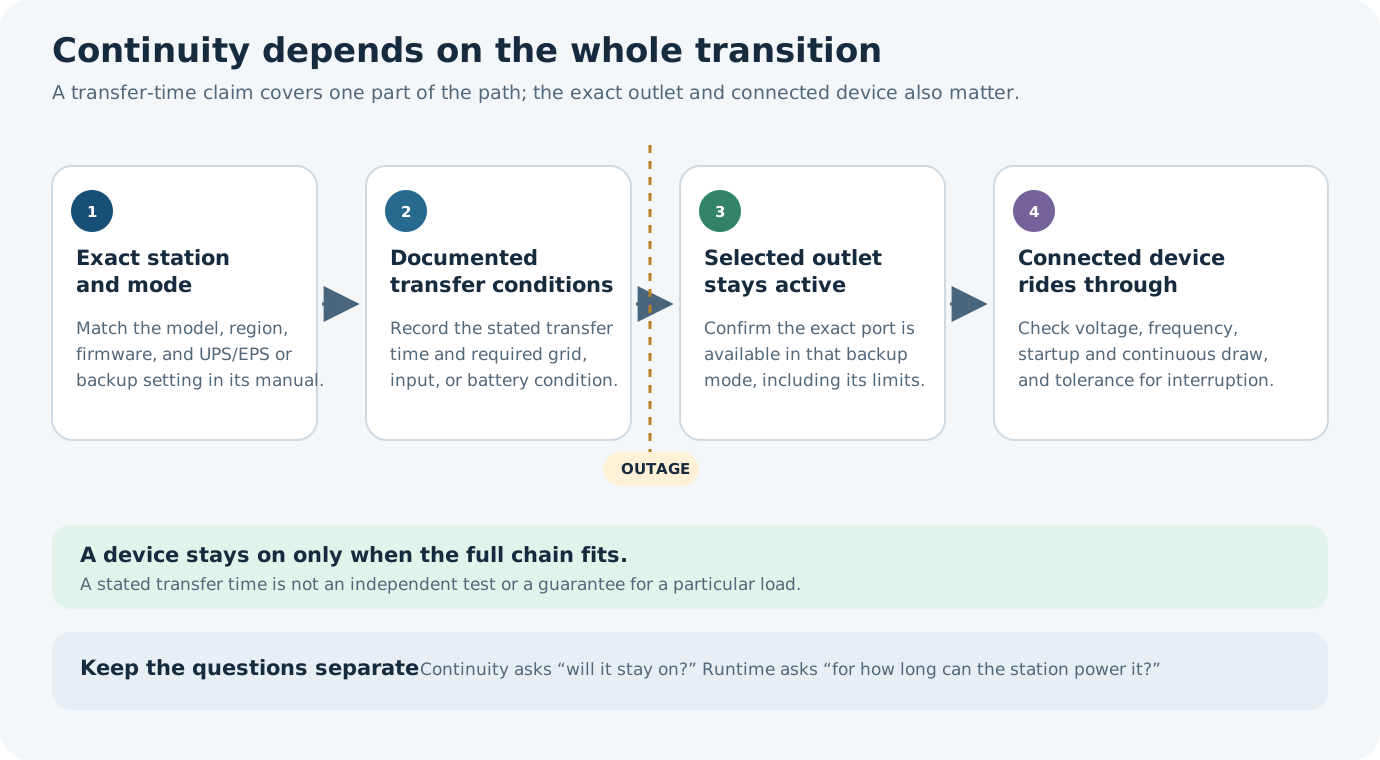
Check power and continuity separately
Before counting on backup, confirm all of the following in the station and device documentation:
- The exact model, generation, regional voltage and frequency, firmware, and selected backup mode.
- The specific outlet or port that remains powered in that mode. Do not assume every receptacle works just because the station has a UPS feature.
- Whether the station must remain connected to grid power, and what input or battery condition the manual requires.
- The device’s voltage, frequency, continuous demand, startup demand, and tolerance for a brief interruption or restart.
- Whether the backup path is battery output or grid bypass. A bypass result is not a battery-runtime result.
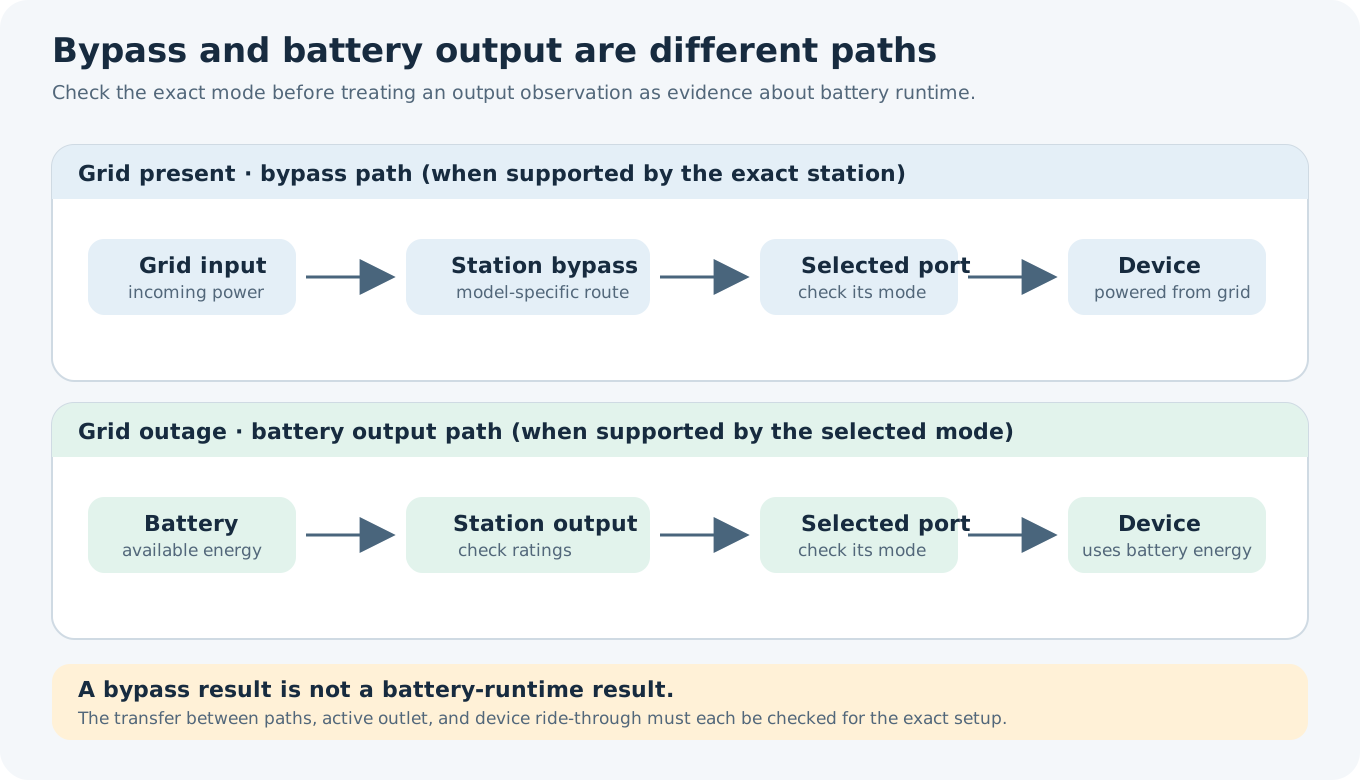
Then calculate runtime as a separate question. Use the exact station’s available energy and the device’s representative average demand, while keeping startup demand and low-load shutdown separate. A device can pass the energy estimate and still stop during a transfer, use an unsupported outlet, or exceed an output limit. The runtime-result guide explains how to read these outcomes alongside assumptions and warnings.
Test only a non-critical setup
If both manufacturers permit a practical check, test the complete setup with a non-critical load before an outage. Use the intended outlet, mode, input connection, and device settings, and observe whether the device stays on and resumes its normal operation. Repeat after a firmware change, a settings change, or a change in the station or device model. A test with one computer or router does not establish performance for another device.
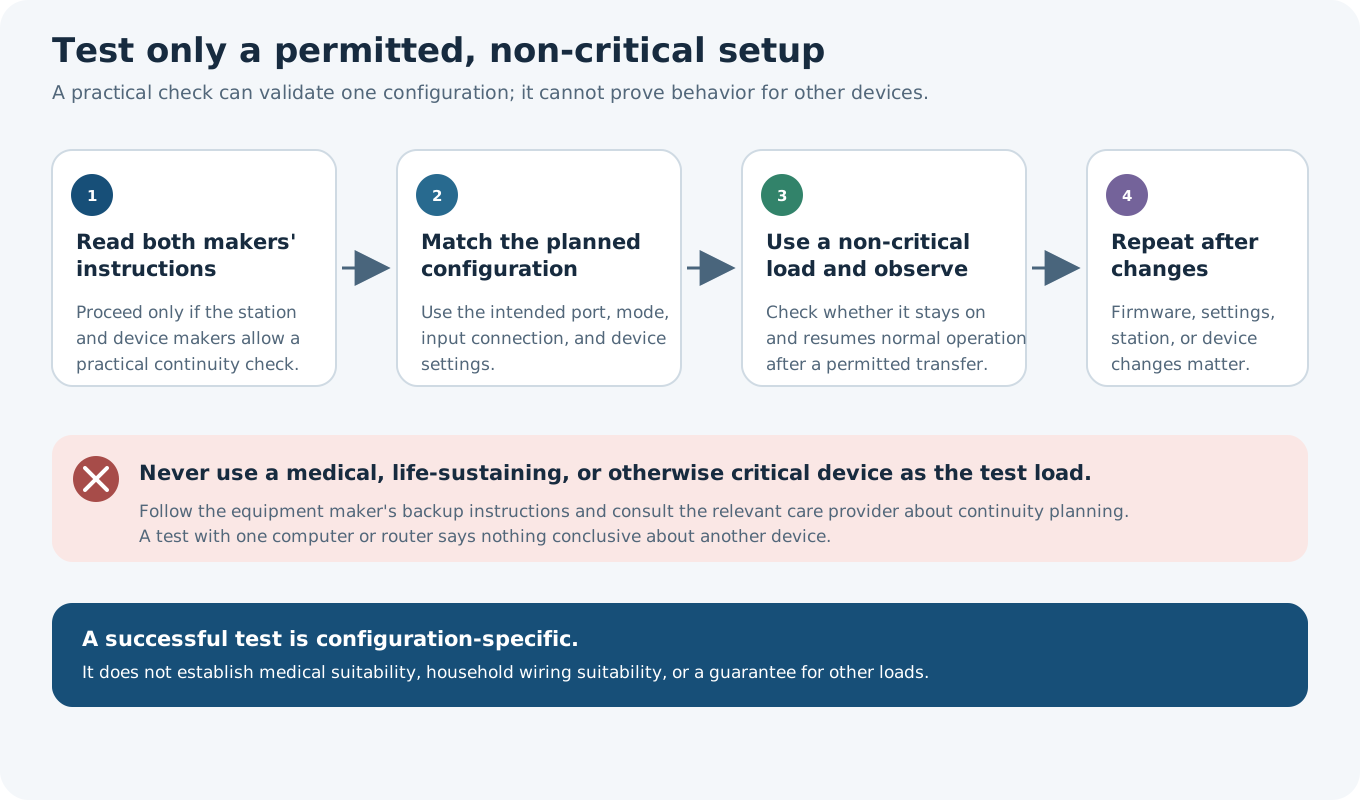
Do not use a medical, life-sustaining, or otherwise critical device as an experimental load. Follow that equipment maker’s backup-power instructions and consult the relevant care provider about a continuity plan. Runtime arithmetic and a transfer-time specification do not determine medical suitability. This category does not provide household wiring or transfer equipment instructions; fixed electrical work belongs with qualified local professionals.
The U.S. Department of Energy’s FEMP UPS purchasing guidance explicitly excludes UPS products designed for mobile applications from its scope. It does not provide a portable power station’s transfer test or efficiency curve. Do not import a desktop UPS efficiency figure into a portable-station runtime calculation.
Key points
- UPS or EPS labels describe a model feature; they do not establish that a particular device will stay on.
- Verify the exact variant, outlet, mode, input condition, and device limits.
- Keep transfer continuity separate from watt-hour runtime and output power.
- Use manufacturer guidance for consequential loads and retain a suitable fallback plan.