Size a Power Station for Multiple Loads with an Energy Budget
Add energy over the planning period, then check simultaneous watts, startup, ports, and reserve as separate constraints.
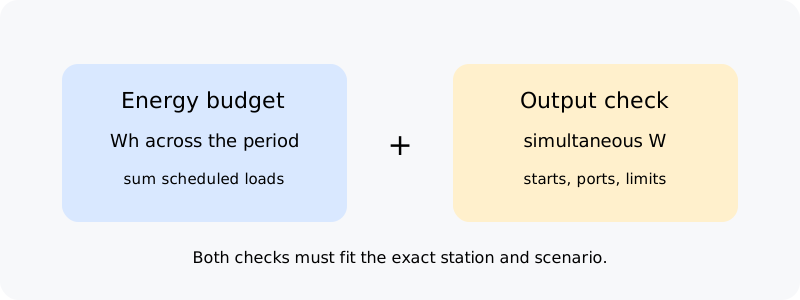
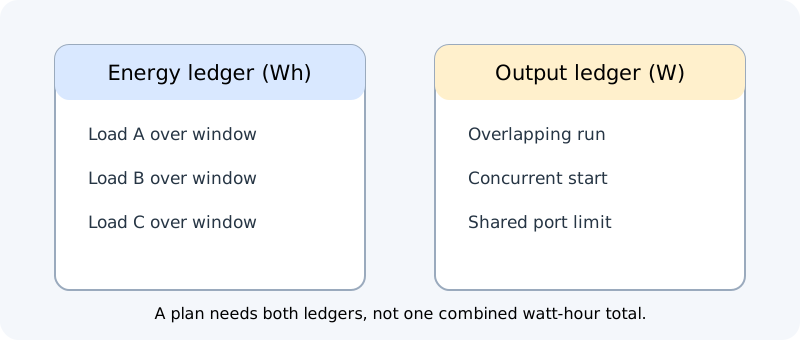
When several devices share a station, add the energy they use over the planning period and separately check whether the station can power them at the same time. These are different limits. A station may have enough total watt-hours for a day but insufficient output for two loads that overlap or start together.
Build the energy list
Choose a planning period, such as one evening or 24 hours. For each device, record its expected run time and average watts, or measured Wh over that interval. Use a representative schedule for cycling appliances rather than multiplying active watts across the full period. Add the Wh values for devices that will actually be used, keeping the interval and assumptions visible.
| Example load | Assumed use | Energy in the example window |
|---|---|---|
| Router | 12 W for 10 h | 120 Wh |
| Lamp | 8 W for 5 h | 40 Wh |
| Refrigerator | 70 W average for 8 h | 560 Wh |
| Total before station-path adjustments | 720 Wh |
These numbers are fictional arithmetic, not typical appliance profiles. Replace them with measurements, exact-model documentation, or clearly labeled estimates. If a device cycles or has a separate startup event, record both its energy estimate and its output requirement. Do not count an appliance that will not be used in the chosen scenario.
Check power and connection limits
Make a separate list of the loads expected to operate simultaneously. Sum their operating watts for each likely overlap, then compare with the exact station’s continuous output and the limit for the outlet or shared group of ports. Check startup events and whether two motors or compressors could start together. A Wh budget does not show those peaks.
Confirm voltage, frequency, port type, current, and any restrictions on simultaneous output. The manufacturer may publish a total station limit that is lower than the sum of the individual socket labels. Count other connected devices and enabled outputs if the manual says they share a limit. If load timing can be changed, write down a feasible schedule rather than assuming a peak that never occurs.
Add station-side assumptions carefully
Use the station manual’s usable-energy figure or model-specific runtime equation. If only nominal Wh is known, label the total load energy as a baseline and explain that conversion, station consumption, and reserve may reduce delivered energy. Do not apply one generic loss factor to all devices or assume that ratings from different output paths have the same efficiency.
A recharge source is a separate scenario input. Solar-panel nameplate watts are not stored energy; sunlight, orientation, shade, charging limits, and conversion affect what reaches the battery. If recharge is uncertain, show a no-recharge baseline and a separate scenario using documented or measured energy actually stored over the same period. Do not double-count energy routed directly through a documented bypass path as battery energy.
Prioritize loads before an outage or other constrained use. Identify which devices can be reduced, scheduled, or left off, and preserve an appropriate fallback. Government of Canada preparedness guidance recommends planning for medical needs and consulting qualified help where needed. A runtime worksheet does not establish that a station is suitable for medical equipment, household wiring, or a critical-load plan.
Report the result as a scenario
State the period, included devices, expected schedule, energy basis, simultaneous wattage check, and unresolved startup or port limits. Show whether the numbers are measured or estimated and what happens if one load runs longer than expected. A scenario is easier to update than a single “whole-home runtime” claim. See interpreting a runtime result after calculating and continuous output and startup for compatibility.