Compare AC and Direct DC Power Station Runtime
Compare the actual output paths and device requirements for AC and direct DC without assuming one is always more efficient.
A device may connect to a station through its AC outlet, a regulated DC port, or USB. Each route has its own voltage, current, connector, control, and conversion stages. The port with the larger printed wattage does not necessarily use more energy, and a direct-DC connection is not automatically compatible or more efficient for every station and device.
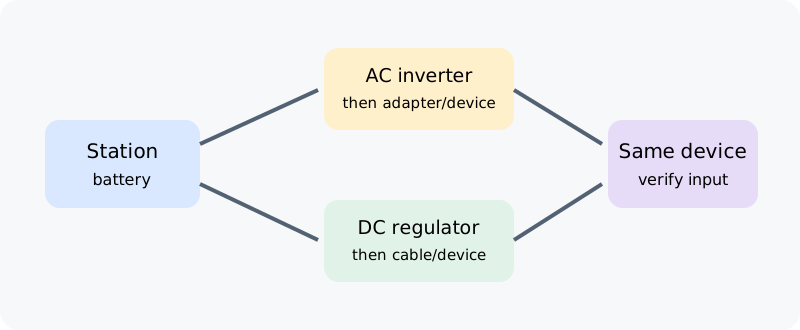
Trace the complete path
For an AC device, the station battery supplies an inverter that produces AC for the appliance or its power adapter. For direct DC, the station’s converter supplies a specified DC voltage through the selected port and cable. USB-C Power Delivery adds a negotiation step: the port advertises supported power profiles and the connected device requests a compatible one. A port’s maximum is a capability limit, not the device’s continuous draw.
The station may have different conversion losses, idle consumption, and automatic-off behavior on AC and DC. Those details can depend on the exact model, port, mode, and load. Some stations keep an AC inverter enabled while the appliance draws little power; another output may have a different threshold or timer. Look at the manual and measured runtime for the specific route before comparing.
Do not treat internal station wiring as an external cable problem. A cable you add between a DC source and a compatible device can have resistance and voltage drop, especially if it is long or undersized. That does not reveal the loss inside a sealed power station. Do not modify a station or substitute a cable based only on a connector that fits.
Verify device compatibility
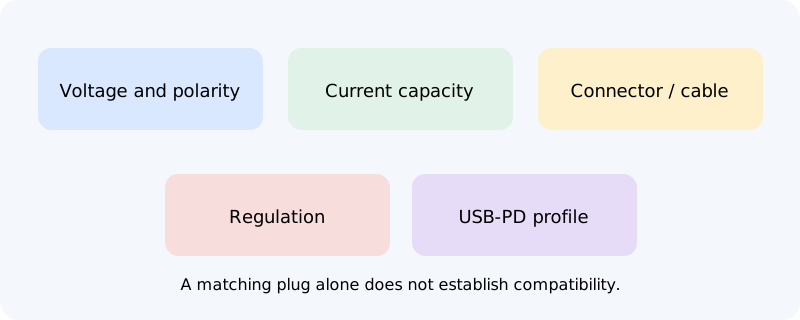
Before using a direct-DC path, compare the device’s required input voltage and polarity with the station’s output. Confirm the connector dimensions and wiring, continuous current capability, cable rating, and any regulation or USB-PD profile the device requires. A voltage that is merely close can still be outside the device specification. For USB, check that both ends support an appropriate negotiated profile and that shared port limits allow the connection.
A wall adapter label may show an input range and a DC output rating. Those are not necessarily the device’s operating draw. If using the adapter’s DC output with a station, preserve the exact output voltage and connector requirements and use a suitable regulated supply. If those facts are not clear, use the original AC adapter and station outlet or ask the device manufacturer.
Compare energy on the same basis
Measure Wh at the device over the same operating interval on each path when a direct comparison is important. Keep the device, settings, environment, and station state as similar as possible. If one route uses an external adapter, include it in that path. Record whether the station’s other outputs were enabled, since they may affect station consumption.
A lower measured Wh at the device does not always mean the station consumed less battery energy; the meter may be upstream or downstream of different conversion stages. For a runtime estimate, use the output-specific energy or equation in the station manual when available. Otherwise show the measured boundary and leave internal loss unknown. Do not publish a cross-brand AC-versus-DC percentage from one station or load.
A comparison can guide which documented port to use, but it is not a substitute for electrical compatibility. See measuring appliance power for selecting an observation and low-load shutdown for output auto-off behavior.