How to Size Solar Panels to a Power Station’s Input Limits
Match a panel array to the exact station’s voltage, current, power, temperature, connector, and arrangement limits before connecting it.
A panel array is compatible only when its complete electrical profile fits the exact power station input and the manufacturer’s permitted arrangement. The solar wattage headline is one limit among several. A panel set under the station’s watt ceiling can still exceed its voltage or current boundary, use an unsupported connector, or violate the manual’s panel-count rules.
Collect both sides of the match
Start with the station’s full model name, generation, region, input port, and current manual. Record the port’s operating-voltage range, any separate open-circuit-voltage ceiling, maximum current, maximum power, connector, polarity, and instructions for series or parallel panels. Some products also set a short-circuit-current limit or a separate maximum for each port. Do not assume those details from a neighboring model.
Read the panel datasheet rather than relying on its front label. Record open-circuit voltage (Voc), operating voltage (Vmp), short-circuit current (Isc), operating current (Imp), rated watts, tolerance, and temperature coefficient. Note panel count, connector, cable, and intended arrangement. A familiar plug shape is not a compatibility specification.
Check each limit independently
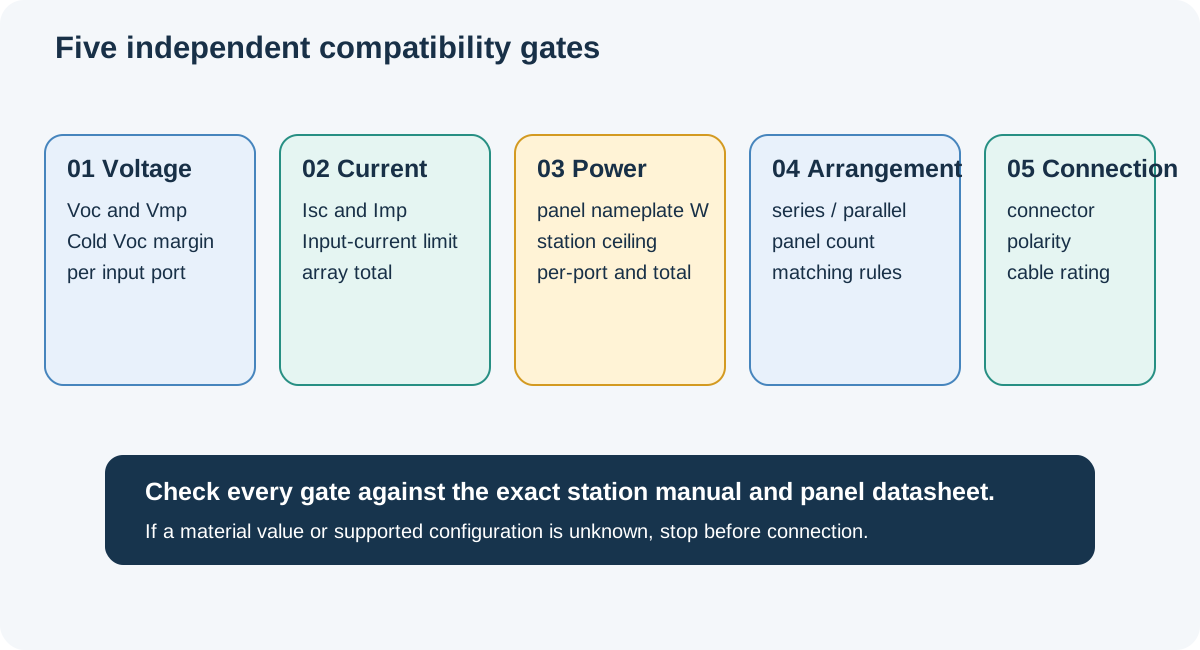
First compare the array’s operating voltage with the station’s supported range. Then calculate the highest expected open-circuit voltage, including cold-weather correction when the panel manufacturer provides the coefficient and the station manual sets a maximum. A panel can operate within an MPPT range while its cold Voc exceeds the input ceiling, so the two checks are not interchangeable.
Next compare current and power using the exact limits and arrangement in the manual. Series panels add voltage; parallel branches add current. Do not multiply a per-port limit across inputs unless the manufacturer explicitly gives a combined value. Connector, polarity, cable rating, and supported panel count remain separate checks even when the voltage, current, and wattage appear to fit.
For example, the US English BLUETTI AC180P manual lists 12–60 V solar input, 10 A maximum, and 500 W maximum, and warns that panel Voc must not exceed 60 V. EcoFlow’s DELTA 3 Classic manual separately lists 11–60 V, 15 A, and 500 W maximum, with total array Voc and Isc boundaries. These figures are model-specific examples, not a shared industry rule.
Jackery’s Europe Explorer 1000 V2 support page offers another useful warning against sizing by watts alone: it describes two parallel DC inputs, permits selected panel counts, and says three panels are not supported. Its arrangement rules apply to that named regional model, not every Explorer station.
Use a stop point for missing information
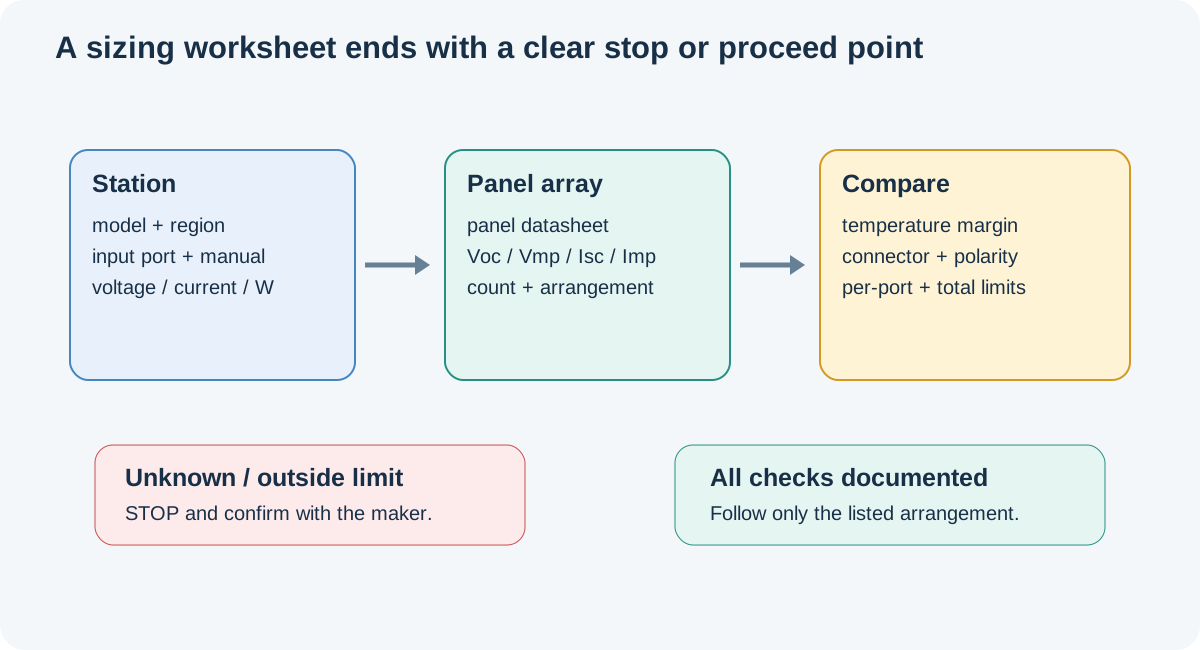
Write down the station value, panel value, source, and result for every gate. Mark each item as within limit, outside limit, or unknown. Do not treat an unknown voltage metric, missing cold-weather coefficient, unspecified connector polarity, or undocumented input combination as permission to connect. Ask the manufacturer with the exact station label, manual revision, panel datasheet, and cable part number.
The completed check is a comparison, not a new wiring design. Use the manual’s stated arrangement and approved connection sequence. If the panel count or topology is not documented, choose a manufacturer-listed setup or wait for explicit confirmation rather than extrapolating from a watt total.
For array arithmetic and connector boundaries, continue to the series and parallel guide. For panel nameplate versus measured harvest, see the real-world recharge guide.
Key Points
- Confirm the exact station model, region, port, and current manual.
- Check voltage, current, power, temperature, connector, polarity, and arrangement separately.
- Cold-weather Voc and operating voltage answer different questions.
- A wattage total or connector fit does not prove that an array is compatible.