EcoFlow DELTA Pro 3: Choosing Between the Two Solar Inputs
Understand the DELTA Pro 3 high- and low-PV ports, their separate limits, and the checks needed before connecting an array.
The US EcoFlow DELTA Pro 3 manual identifies model EFD521 and specifies a high-PV input and a low-PV input with different operating ranges and power limits. Choose the input from the electrical design of the array, not from panel wattage or the connector that happens to fit. Confirm the exact DELTA Pro 3 regional model and manual before ordering an adapter or connecting panels. The US and Ireland manuals are official product documentation; regional specifications still need to match the unit in front of you.
Compare High-PV and Low-PV
| DELTA Pro 3 input | Operating voltage range | Maximum current | Maximum input power |
|---|---|---|---|
| High-PV | 30–150 V | 15 A | 1,600 W |
| Low-PV | 11–60 V | 20 A | 1,000 W |
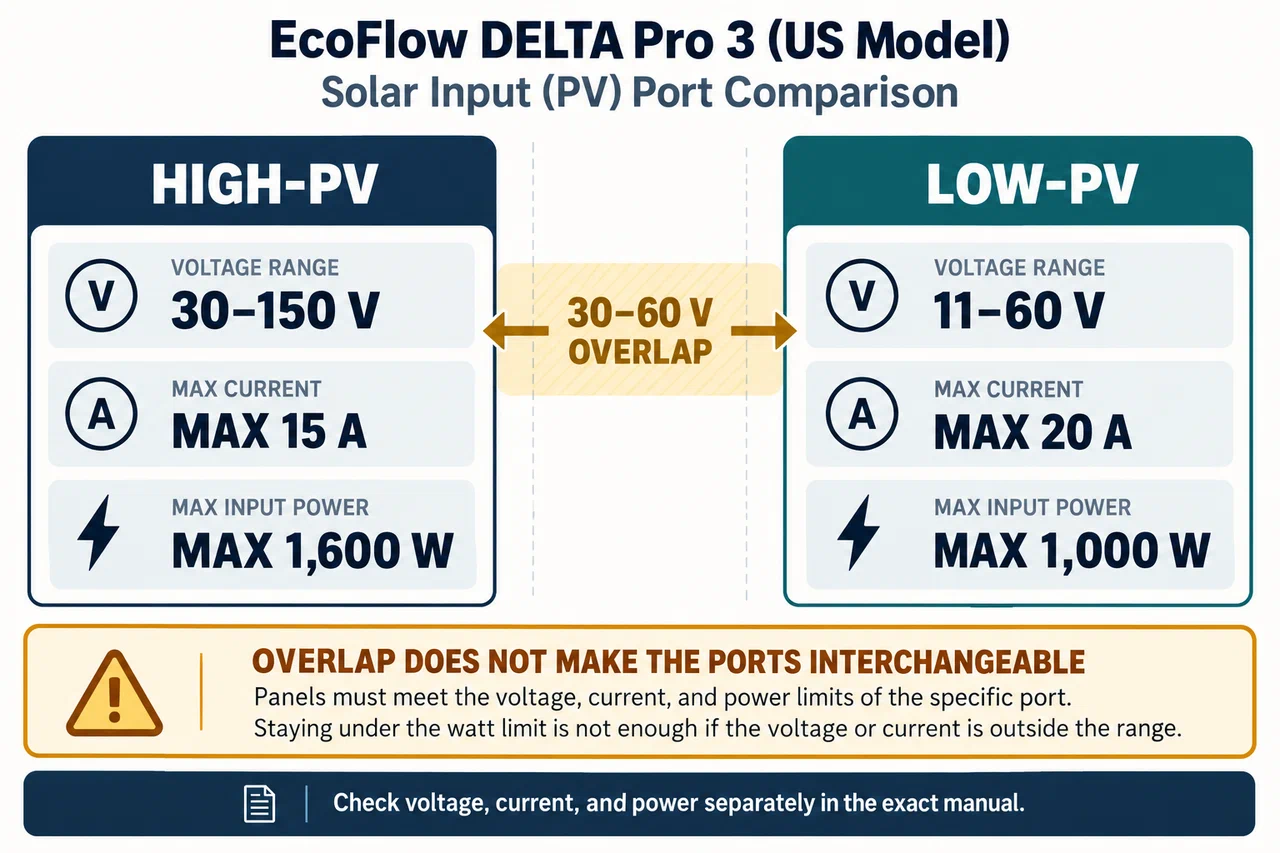
The voltage ranges overlap between 30 V and 60 V, but that does not make the ports interchangeable. Their maximum current and wattage differ. Select a connection expressly supported by the current manual and check every limit for that port. A design that falls below the power ceiling may still exceed maximum current or voltage.
Work through the array values
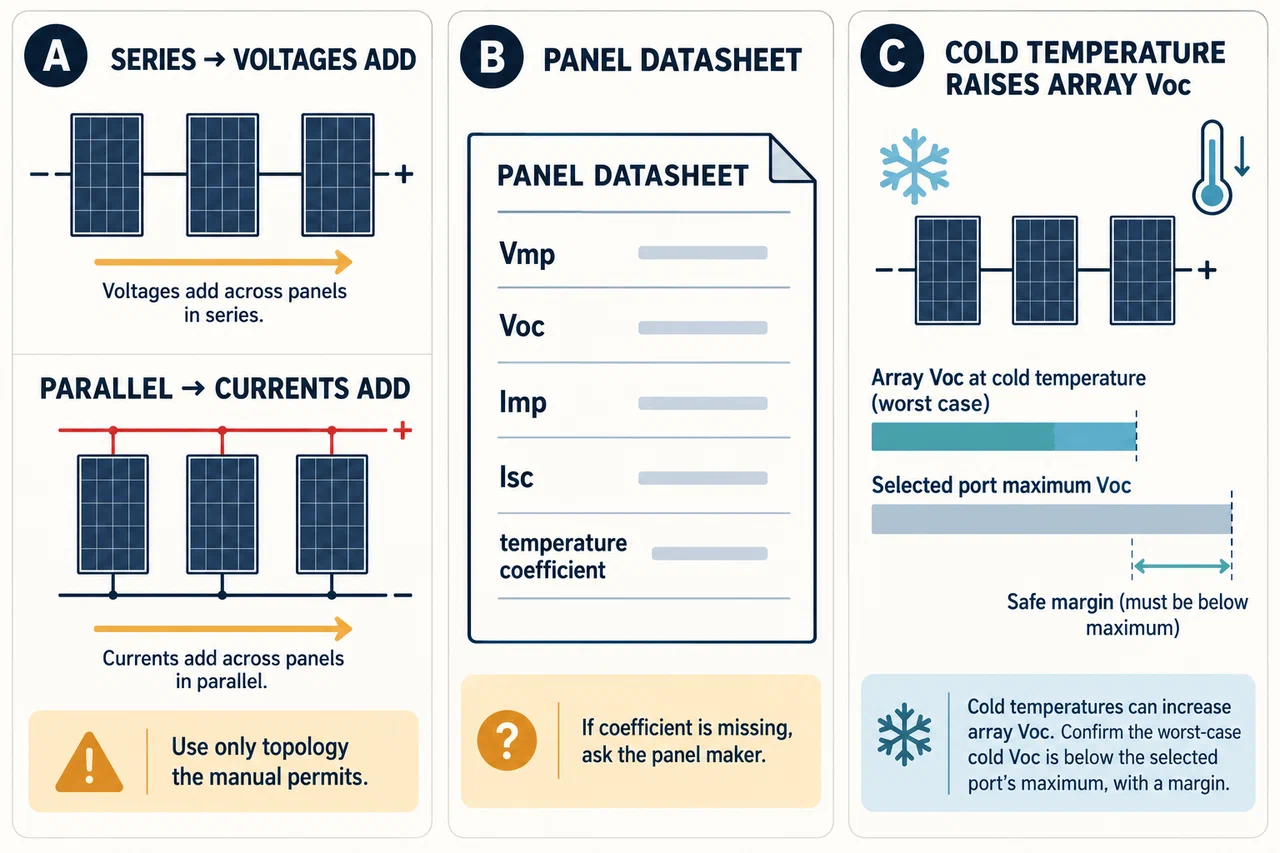
For each panel, find Vmp, Voc, Imp, Isc, power tolerance, and any temperature coefficient in the panel’s documentation. Calculate the proposed series or parallel array using only a topology the manual permits. Series strings add voltage; parallel branches add current. Use cold-weather Voc for the maximum-voltage check and normal operating values for the input range and current checks as directed by the equipment documentation.
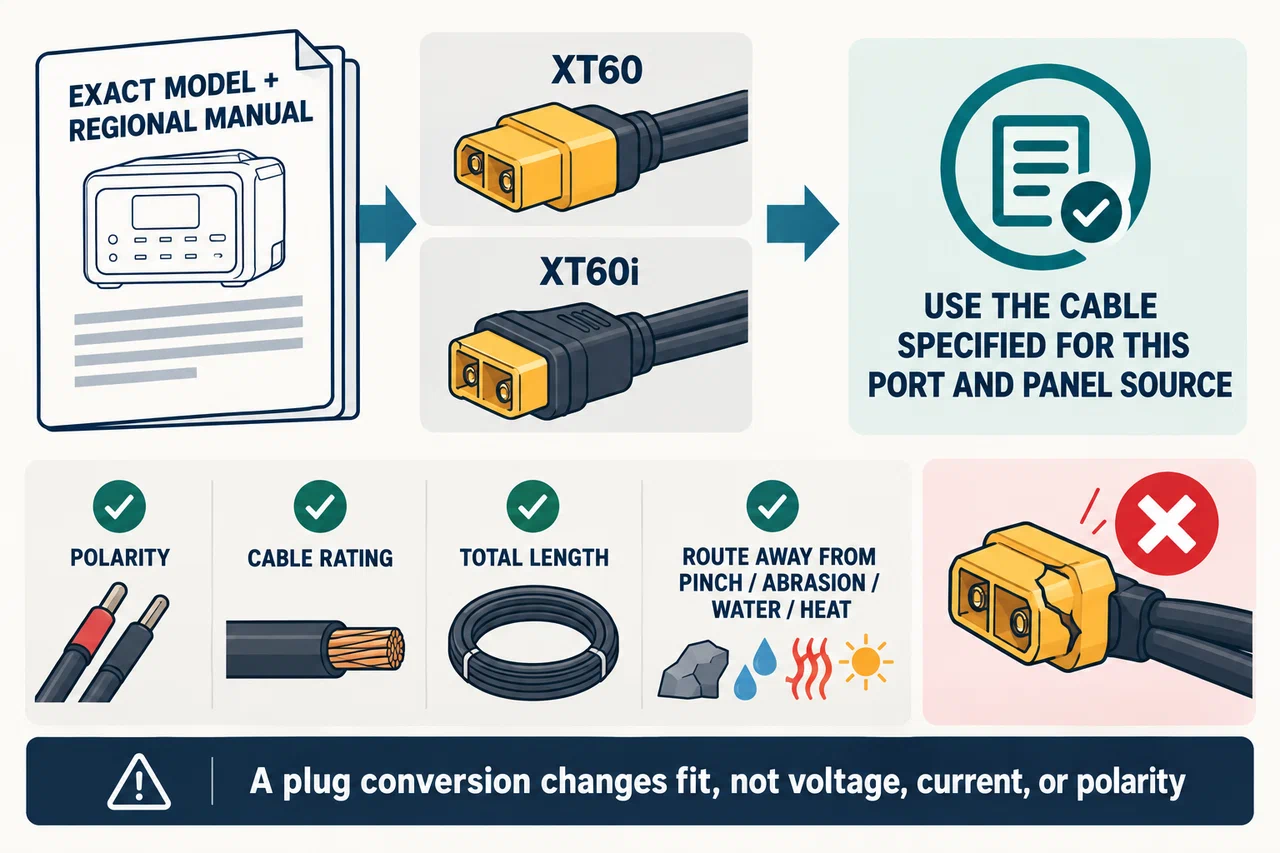
The DELTA Pro 3 manual describes the PV inputs and their respective cables, including XT60 and XT60i connector variants. Confirm which cable belongs to the intended port and panel source. A plug conversion may change physical fit but not the panel voltage, current, or polarity. Do not improvise a splitter, assume the ports can be combined, or rely on an overvoltage protection threshold to approve a string.
Account for cold panels and cable routing
Panel Voc increases when the panel is colder. Add the series-string Voc at the minimum expected panel temperature and keep the total within the High-PV or Low-PV maximum. The manual warns that temperature affects PV voltage. If the exact panel’s coefficient or reference condition is missing, ask the panel maker rather than substituting a typical value from another module.
Check the manufacturer’s extension and cable requirements. Route cables to avoid pinching, abrasion, standing water, hot surfaces, and trip hazards. Inspect connectors before use and stop if a plug is cracked, loose, or discolored. Do not connect household circuits, grid-tied wiring, or a rooftop array to a portable input unless the exact equipment documentation expressly covers the configuration.
Make a model-specific decision
Use High-PV only when the panel array and approved connection method fit its voltage, current, and 1,600 W limits. Use Low-PV only when the array fits its own 11–60 V, 20 A, and 1,000 W limits. When choosing between them, also account for the panel set you actually own, compatible cable availability, regional version, and any conditions in the user manual. Do not assume that a panel set marketed for another EcoFlow station is automatically approved for the DELTA Pro 3.
If two proposed arrangements both appear to fit, compare their full electrical calculations and follow the manual’s supported configuration. Where the manual is silent or leaves a model detail ambiguous, contact EcoFlow with the exact panel datasheet and station revision before purchase or connection. For general array arithmetic and examples from other brands, read the series and parallel guide.
Key Points
- The DELTA Pro 3 High-PV and Low-PV ports have different limits and cables.
- Check array voltage, cold Voc, current, power, panel count, and polarity independently.
- The overlap in voltage range does not make port ratings interchangeable.
- Use only documented arrangements and approved accessories for the exact model.
- Stop and confirm any combination that the current manual does not describe.