UPS, EPS, Pass-Through, and Transfer-Time Claims Explained
Distinguish standby transfer, pass-through charging, and marketing labels before relying on a power station to keep a device running during an outage.
Portable power station listings may use UPS, EPS, emergency power, pass-through, or seamless as if they described the same behavior. They do not. Before counting on a station during an outage, find the exact model and market manual, read its transfer-time wording and exclusions, and check whether the device can tolerate the interruption.
Separate the terms
UPS or EPS usually describes a mode that detects loss of mains power and switches the connected load to battery output. The name alone does not establish a standard transfer time or certify a connected device.
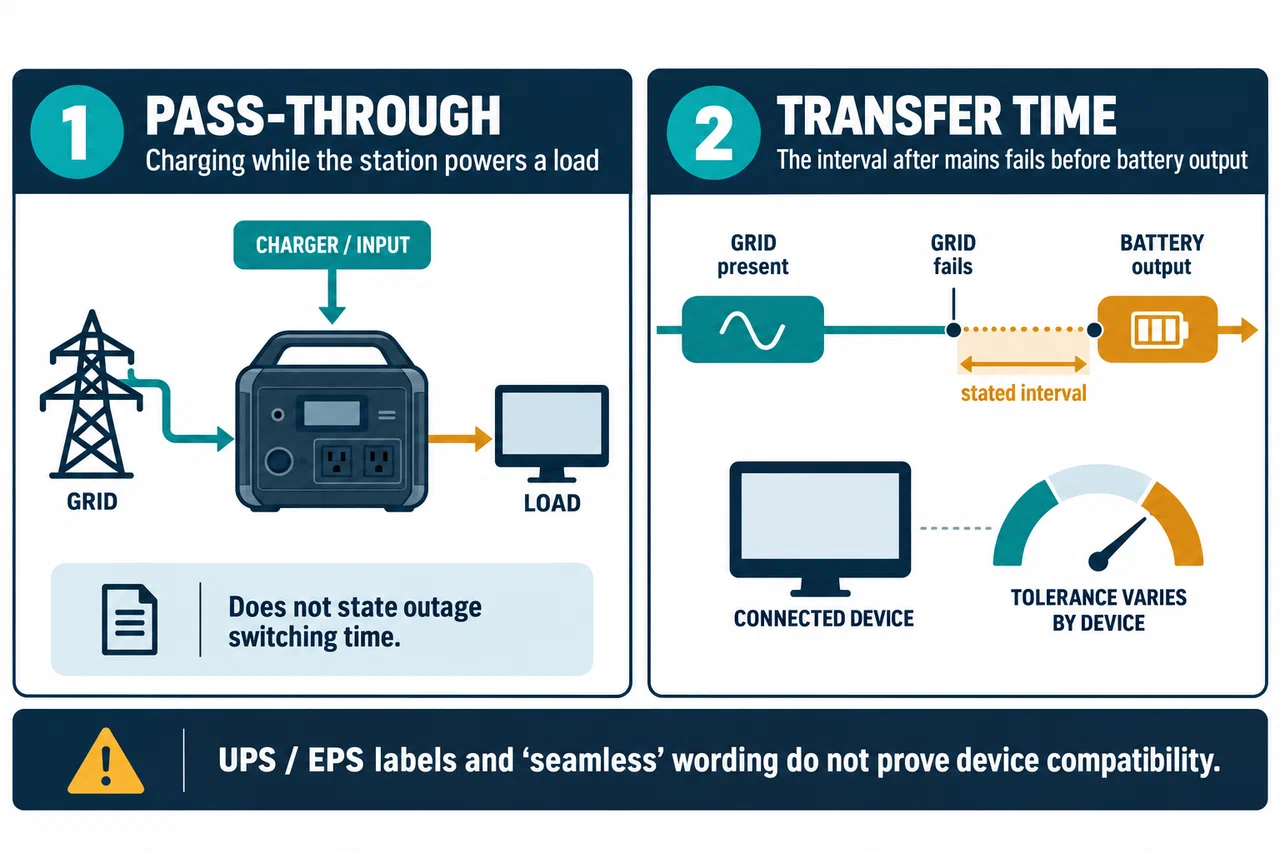
Pass-through means the station can charge while supplying a load, or otherwise supply a load while connected to an input source. It does not tell you how long an outage transition takes, whether a mode must be enabled, or whether the output remains stable for every load.
Transfer time is a stated interval between the loss of the input source and battery output. A number is useful only with its model, market, mode, and any documented test conditions. Even a short interval may be long enough for a device to reboot.
Seamless is not a substitute for a measured, applicable transfer specification. Ask the manufacturer what exact mode and configuration it describes, and look for explicit device restrictions.
Read the limits on the exact model
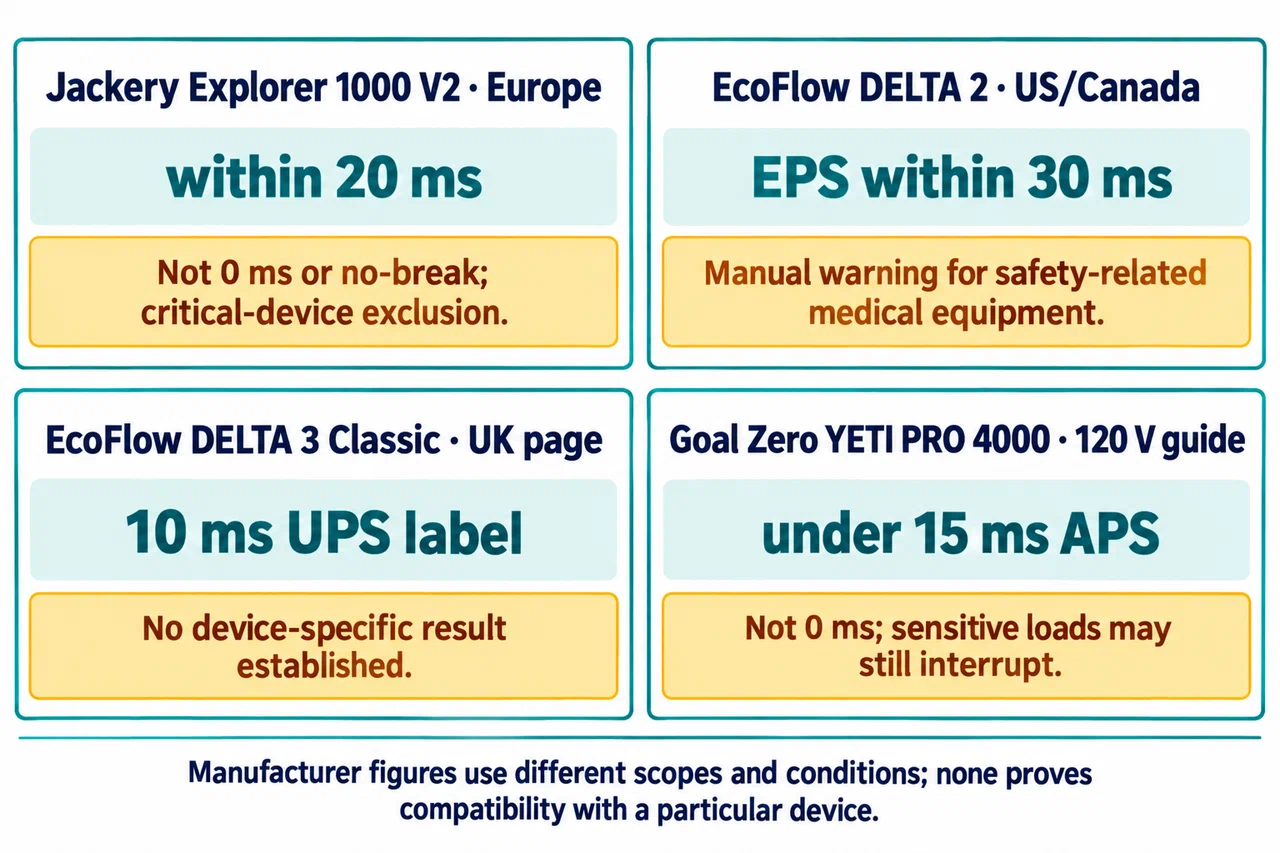
The Jackery Explorer 1000 V2 Europe support page states automatic switching within 20 ms and explicitly says the feature is not a 0 ms, no-break UPS. It excludes critical devices such as data servers and workstations that require uninterrupted power. The named timing does not certify any other computer, router, pump, medical device, or appliance.
EcoFlow’s DELTA 2 US/Canada manual surface describes an EPS transition within 30 ms. The DELTA 2 V1.0 manual also says the station is not recommended for medical emergency equipment related to personal safety, including medical-grade ventilators and hospital CPAP. That warning applies even if the apparent running wattage fits within the output rating.
The EcoFlow UK page for DELTA 3 Classic labels its UPS figure as 10 ms. That page-level statement is specific to the named product page and does not demonstrate a device-level result or apply to the DELTA 2. BLUETTI AC180 supports pass-through, while its manual warns that Grid Enhancement can lengthen UPS switching and directs users to turn that mode off for UPS use. None of these terms or values can be transferred across models.
Other manuals show why mode and connection details belong beside the timing. Goal Zero’s YETI PRO 4000 guide states an under-15-ms APS transition, says it is not 0 ms, and warns that sensitive loads may still be interrupted. For use with Haven, it also states APS and pass-through are unavailable on a GFCI-protected supply circuit. That is a condition for this named integration, not a universal rule about GFCI outlets.
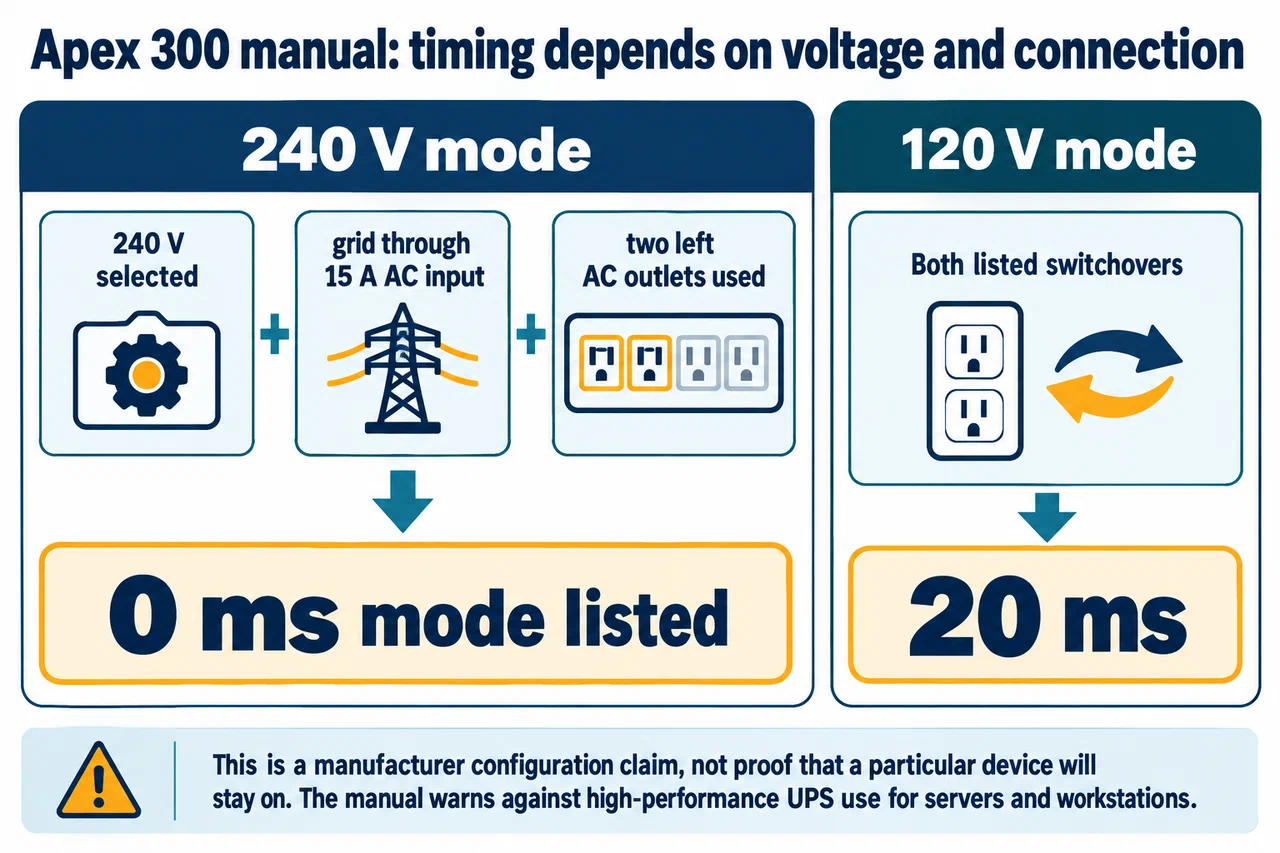
The BLUETTI Apex 300 manual describes a manufacturer-listed 0 ms mode only for two specified outlets at 240 V with grid input through a 15 A AC connection. At 120 V, both listed switchovers are 20 ms. It still warns against high-performance UPS use for servers and workstations. A conditional 0 ms label is not proof of compatibility with an arbitrary device or configuration.
The BLUETTI Elite 300 manual separately lists a 10 ms switchover and warns against high-performance UPS-dependent servers or workstations. It also distinguishes AC discharge power from lower bypass power. These are model-specific facts; timing and output mode must be read together in the exact manual.
Qualify the device and the setup
Check the device manufacturer’s permitted interruption time, voltage and frequency range, waveform requirement, startup demand, and behavior after power returns. Some devices tolerate a brief interruption; others restart, lose unsaved work, or fail to resume automatically. Rated watts alone do not answer this.
Check the station’s exact regional profile and backup mode. Note whether AC output must be enabled, whether an app setting changes transfer behavior, whether ECO can shut down a low load, and whether the station has enough battery reserve. Then test the complete setup: station connected to the intended mains source, actual device attached, and the relevant output mode enabled. A test at one battery level or firmware version is not a guarantee for every condition.
For medical equipment, servers, workstations, life-safety loads, or other critical systems, use the equipment maker’s instructions and obtain confirmation for the exact station and configuration. Keep a suitable alternate source. Do not treat a product’s “UPS” or “EPS” label as medical or business-continuity approval.
Use a pass/fail checklist
- Identify the station’s exact model, generation, and market.
- Find the applicable manual or official support record and note its date.
- Confirm a transfer-time figure and read the exclusions around it.
- Confirm the connected device tolerates that interruption and electrical profile.
- Check pass-through, ECO, app, and input-mode settings that could change behavior.
- Test the actual arrangement and retain an alternate power plan for important loads.
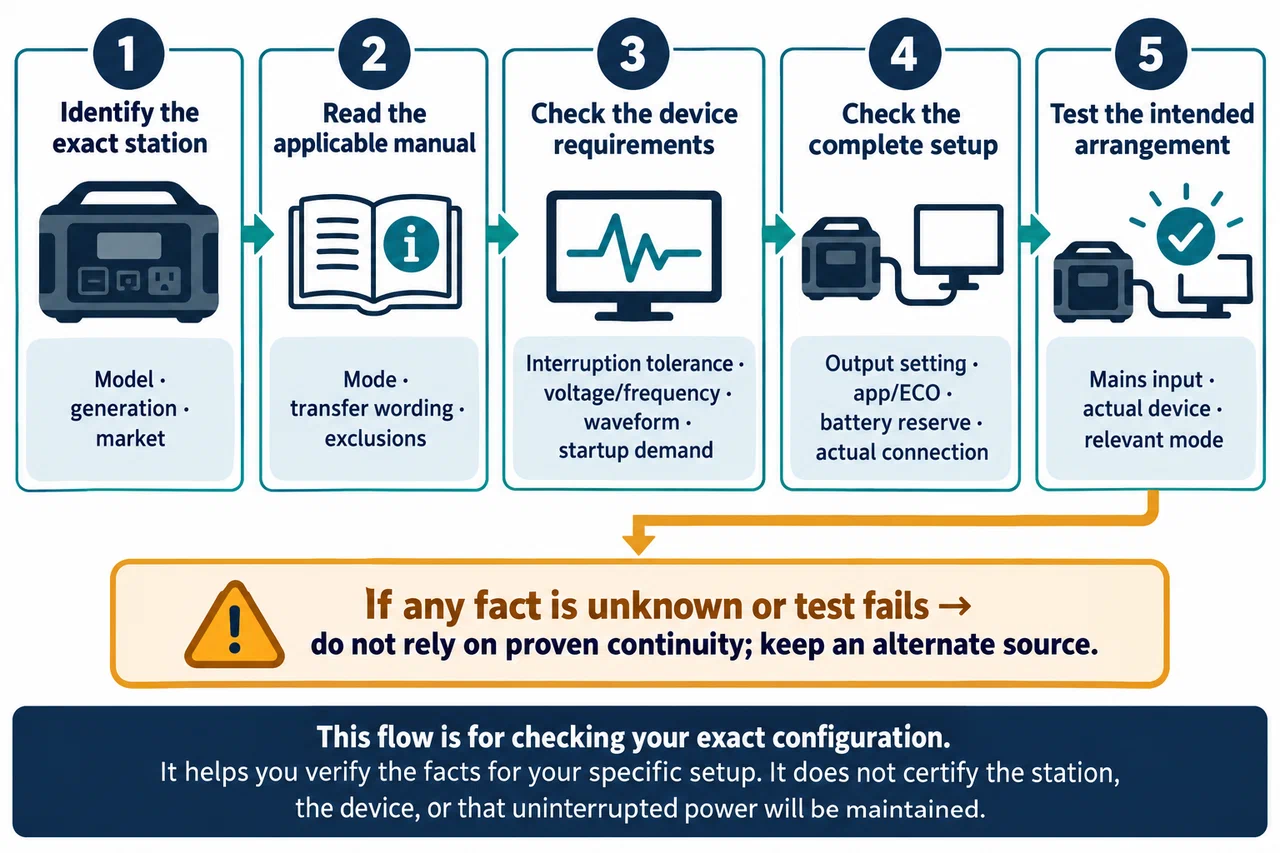
If any required fact is “not specified” or “requires verification,” do not treat the system as proven uninterrupted backup. Use the Jackery Explorer 1000 V2 profile, DELTA 2 profile, and AC180 profile for model-specific examples.