Jackery Explorer 1000 V2 Capability and UPS Limits
Compare the Explorer 1000 V2's documented European and North American profiles, runtime inputs, panel rules, and 20 ms transfer qualification.
Match the station to the correct regional source before using its electrical or charging figures. The European Explorer 1000 V2 support record identifies JE-1000D and documents a 230 V/50 Hz profile. The North American manual also names JE-1000D but describes a 120 V/60 Hz unit. Keep those profiles separate: the shared model code does not establish that every outlet, accessory, firmware behavior, or market SKU is identical.
European profile and runtime inputs
The European support page lists 1,070 Wh LiFePO4 capacity, 1,500 W AC output, and a 3,000 W instantaneous-discharge figure. It describes pure-sine output at 230 V/50 Hz with selectable 50/60 Hz behavior. The instantaneous value is not a promise that every motor will start; check the load’s startup demand and the applicable port limits.
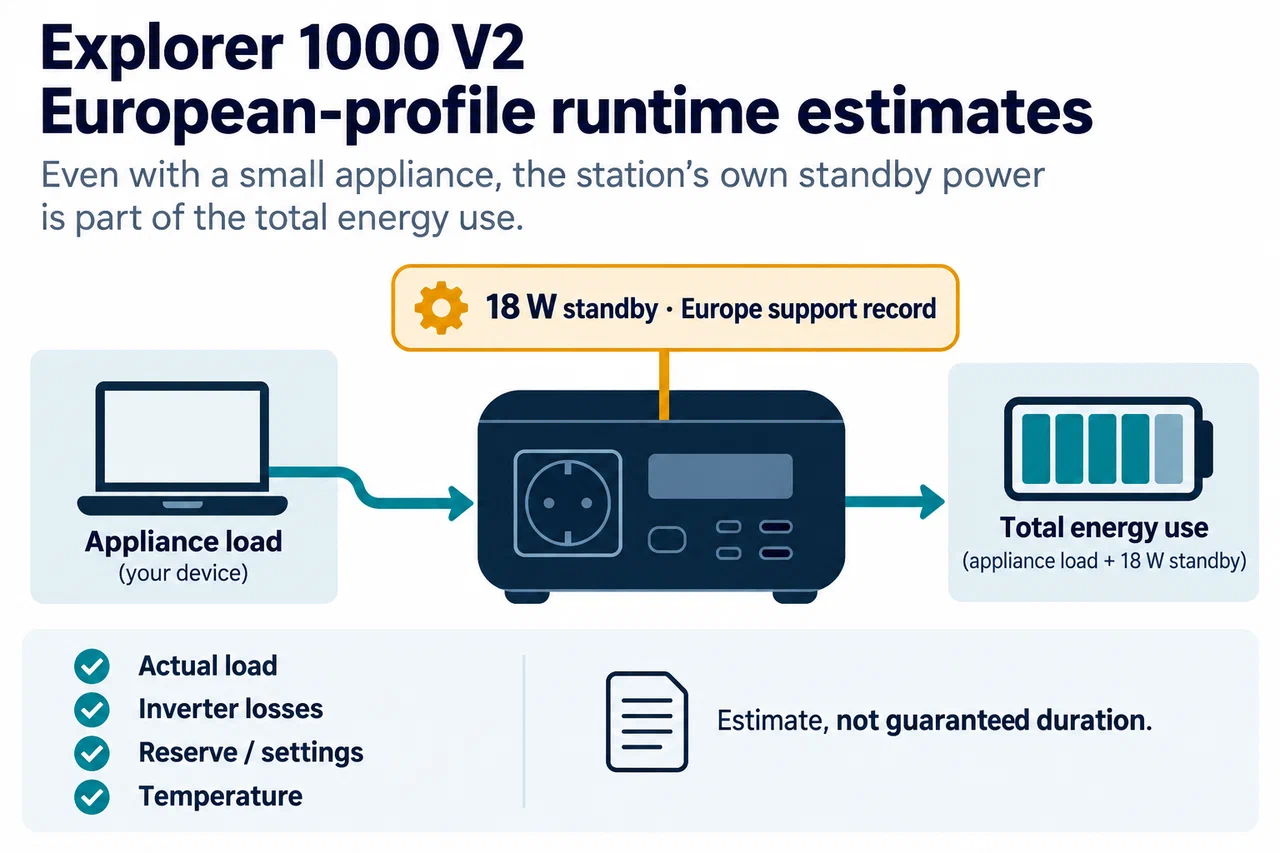
The same support record lists 18 W standby consumption. That value matters when AC remains on for a small load, so include it when estimating low-load runtime. It is a source-specific value, not a universal number across all modes, regional units, or firmware. Use measured load data where possible and treat calculations as estimates: actual delivery depends on inverter losses, reserve behavior, temperature, and how the load cycles.
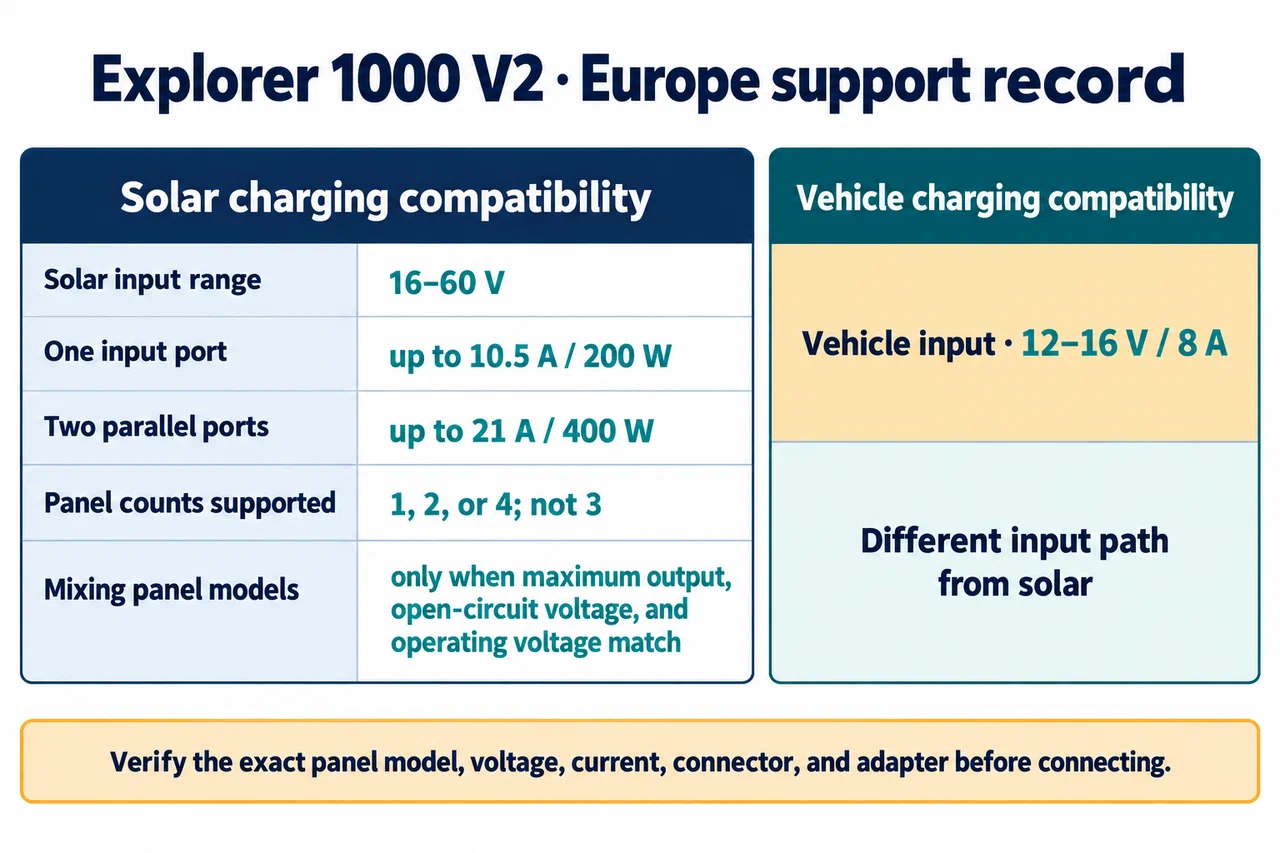
For solar, the European record gives a 16–60 V input range. One input port is limited to 10.5 A and 200 W; both ports together are listed up to 21 A and 400 W. The support page permits 1, 2, or 4 panels, not 3, and supplies matching rules for panel combinations. Verify the panel model, voltage, current, connector, and required adapter before connecting it. The vehicle-charging input is different: the record lists 12–16 V and an 8 A current limit.
The European support page says the unit has no extension function. Do not assume that a similarly named Explorer or a product photo showing an expansion connection applies to this unit.
Understand the 20 ms UPS limit
Jackery describes automatic transfer to battery within 20 ms when the station is connected to mains. The same source explicitly says this is not a 0 ms, no-break UPS and excludes devices such as data servers and workstations that require uninterrupted operation. A headline “UPS” label therefore does not establish that a computer, router, pump, or other device will remain on.
Jackery’s European product page names example equipment, including an HP Z230 desktop and ResMed AirSense 10. Those are manufacturer examples, not independent tests or certification for every device in the family. Check your exact device’s tolerance to interruption, startup behavior, and manufacturer guidance. Test the actual configuration before relying on it, and have an alternate plan for critical loads.
The 20 ms claim also does not override the device’s power limit or waveform requirements. A load can fit under the stated watts and still reboot when transfer occurs. See the UPS and transfer-time guide for a practical qualification checklist.
Keep the North American manual in its own row
The North American user manual lists 120 V/60 Hz AC output and 1,500 W rated power with a 3,000 W surge peak. Its charging details and the European table may overlap, but the source does not prove complete regional equivalence. Keep the voltage, frequency, input, adapter, outlet, and expansion fields tied to the manual or support page that actually documents them.
When checking a unit, photograph its nameplate, record the source and retrieval date, and mark fields that are not specified. For a solar setup or a shortlist, follow the charging ecosystem guide and exact identity guide before comparing figures.