Check a Power Station’s Charging and Expansion Ecosystem
Verify voltage, current, connectors, panel layout, vehicle input, and exact battery support before adding charging or expansion equipment.
A panel or battery pack is compatible only when its electrical limits and connection method match the exact station. Connector shape and advertised wattage are not enough. Start with the nameplate and manual for the station, then compare voltage, current, maximum input, connector, adapter, panel arrangement, and market.
Build a compatibility check for solar
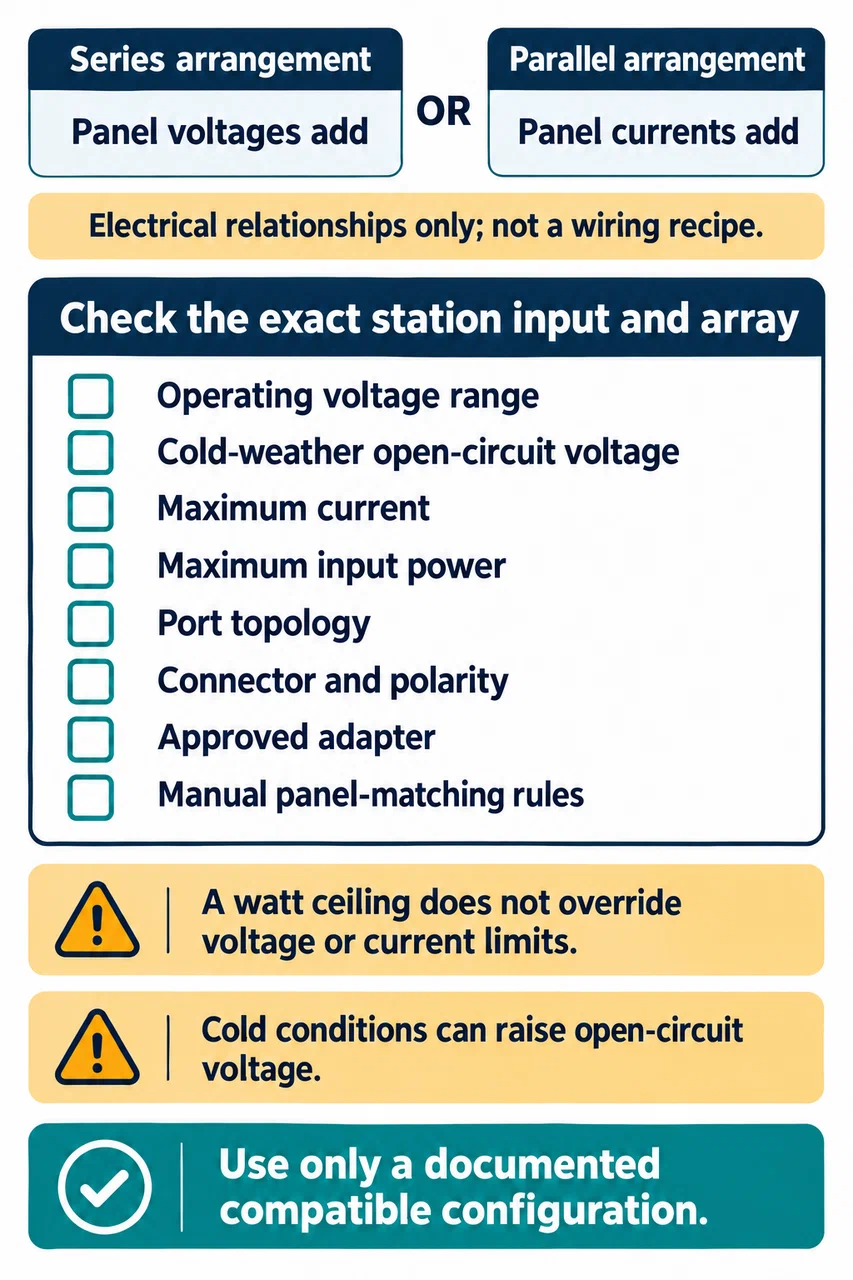
Before connecting a solar array, record:
- The station’s minimum and maximum input voltage, maximum current, and maximum power.
- The panel or string’s operating voltage, short-circuit current, open-circuit voltage, and rated output.
- Whether the station’s limit applies to each port or to all inputs together.
- Whether ports are independent, parallel, or require equal panel groups.
- The connector and polarity at every interface, including any approved adapter.
- Cold-weather open-circuit voltage and the panel-matching rules in the manual.
The published watt ceiling does not override the voltage or current ceiling. In series, panel voltages add; in parallel, current adds. Cold conditions can raise open-circuit voltage, so an array that sits just below a maximum on a warm day may exceed it in cold weather. Do not create a panel topology by trial and error.
| Station profile | Published solar input example | Connection rule to check |
|---|---|---|
| EcoFlow DELTA 2 | 11–60 V, 15 A, 500 W maximum | Confirm the exact manual, connector, and combined input limits |
| Jackery Explorer 1000 V2, Europe | 16–60 V; one port up to 200 W, two ports up to 400 W | Support page allows 1, 2, or 4 panels and specifies matching conditions |
| BLUETTI AC180 | 12–60 V and 500 W maximum, MC4 | Manual warns not to exceed 60 V open circuit or mix different panel types |
| BLUETTI Pioneer Na, US manual | 12–60 V, 10 A, 500 W maximum | Use the specified 7909 input and do not mix panel types |
These are examples from different products, not interchangeable recipes. Check the current manual for the exact unit and panels before connecting them.
Do not confuse charging inputs with output ports
A station’s 12 V car socket usually powers vehicle accessories; it does not necessarily charge the station. The charging input may use another connector and a different voltage or current range. For the Explorer 1000 V2 Europe profile, the support page lists vehicle charging at 12–16 V and 8 A. Check the included cable and the vehicle socket’s own fuse and limits before planning charge time.
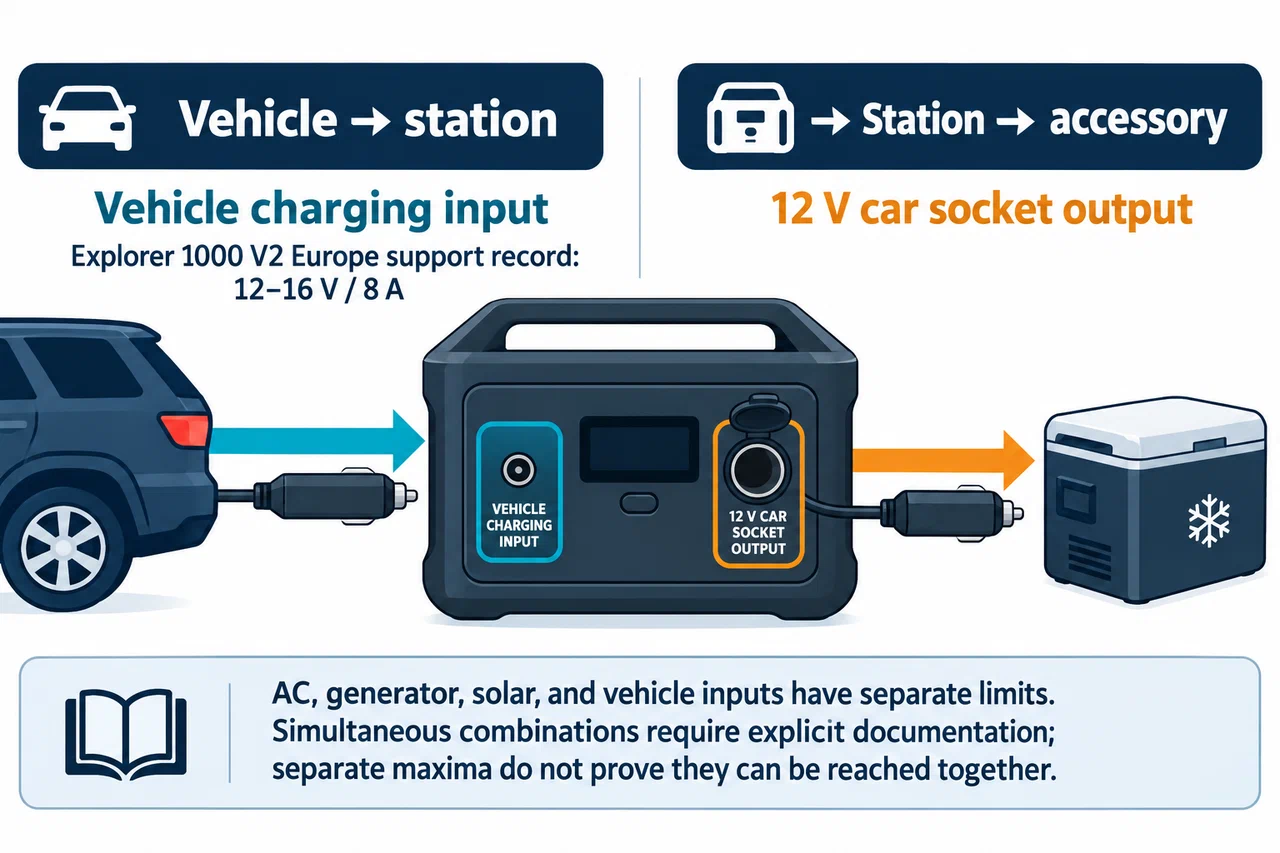
AC charging, generator charging, solar charging, and vehicle charging can have separate limits. Simultaneous inputs may also share a total ceiling or require a particular mode. Use only documented combinations. A source that gives a maximum AC input and a maximum solar input separately does not automatically say both maxima can be reached at the same time.
Verify expansion as its own compatibility question
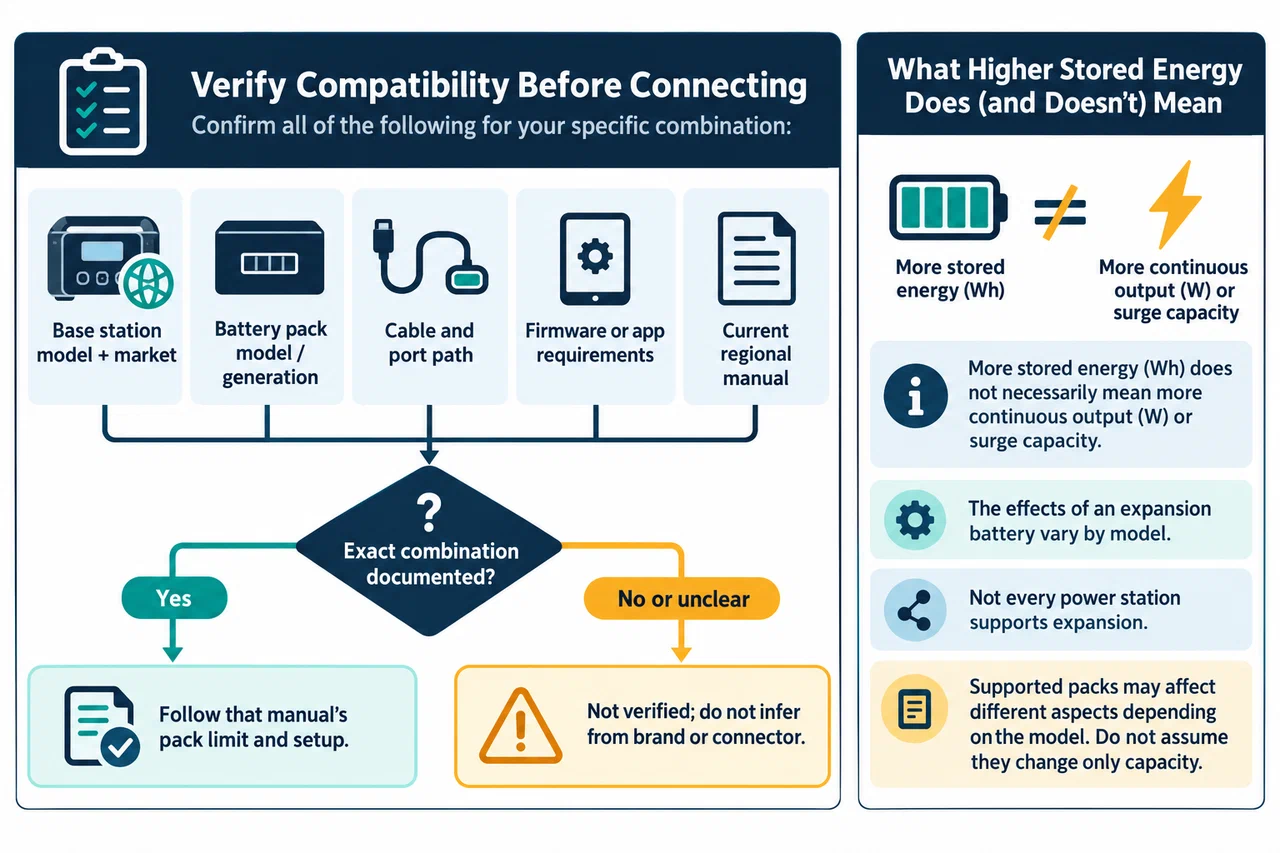
An expansion battery changes stored energy, not necessarily the station’s continuous output or surge behavior. Match the exact base model, expansion battery model, cable, firmware or app requirements, and regional manual. Do not assume a product family shares expansion support or that two batteries with a similar connector can be combined.
| Station and source | Documented expansion boundary | What still needs checking |
|---|---|---|
| EcoFlow DELTA 2 manual | One Smart Extra Battery | Current market, cable, and approved pack |
| Jackery Explorer 1000 V2, Europe support page | No extension function | Keep this profile separate from other Explorer models |
| BLUETTI AC500 manual | Up to six B300S; the manual ties rated output to how packs are placed across its expansion ports | Regional AC profile, pack generation, cable path, and current manual |
| BLUETTI AC200P L manual | Up to two B210P or B300 packs, or one B230 | Exact battery model, cable, firmware, and regional availability |
| BLUETTI AC500 with B500K | Product-page FAQ claims up to six B500K through a P150D-to-P090A cable | The captured page has an unstable variant presentation; verify the exact AC500/B500K labels and current cable guidance |
This is a source-scoped sample, not a universal compatibility database. A manual’s pack-count limit does not establish usable system energy or output behavior for every combination. The B500K page’s mixed-battery statement and runtime example have unresolved identity or internal-consistency issues, so do not use them to promise mixed-pack runtime.
Separate input windows and enclosure ratings
Some stations provide more than one solar input window. The EcoFlow DELTA Pro 3 Europe page lists separate high-voltage and low-voltage PV inputs with different voltage, current, and watt limits. Treat them as distinct inputs; do not combine their limits into one imaginary port or apply either window to a different model.
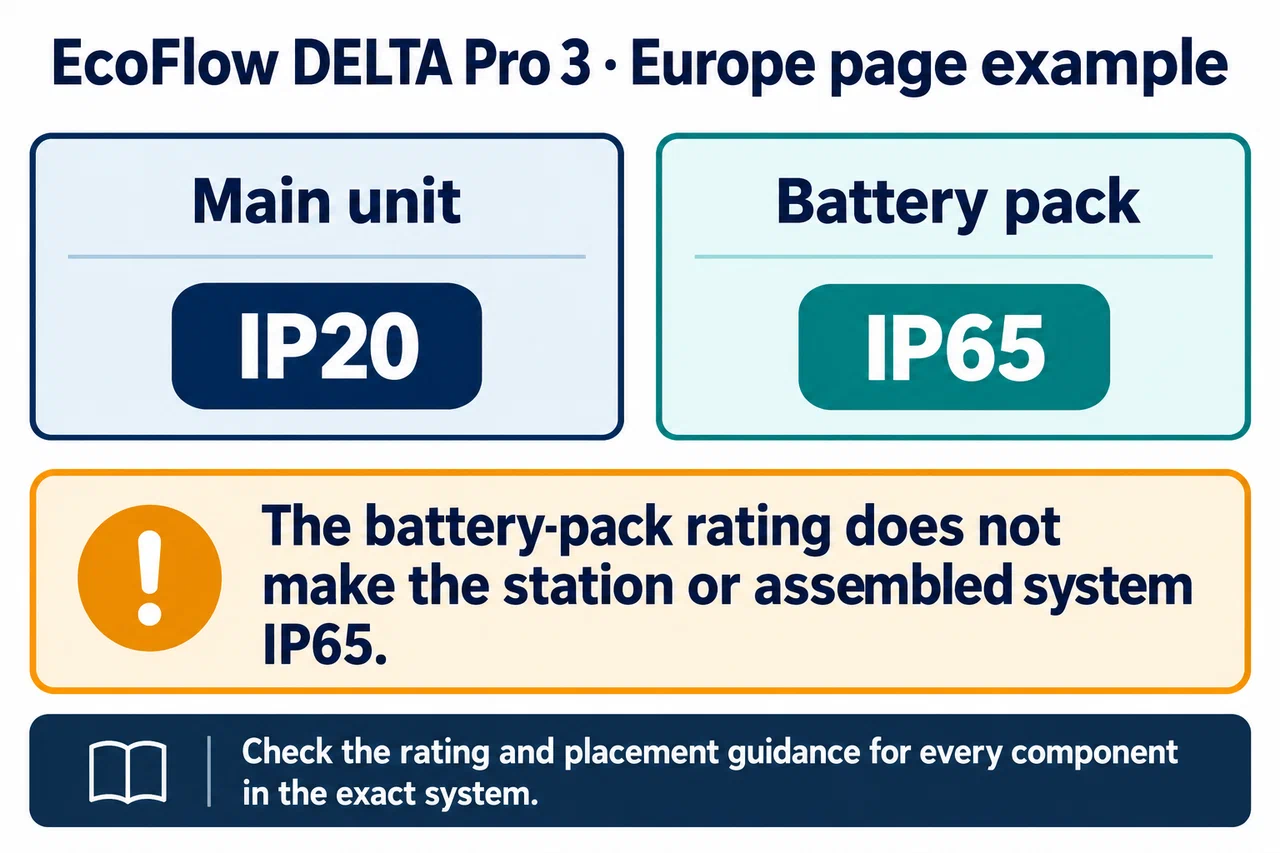
Weather ratings also belong to the named part. That same page lists IP20 for the main unit and IP65 for its battery pack. The battery pack’s rating does not make the station or assembled system IP65. Check the rating for every component and the manufacturer’s placement guidance before using equipment outdoors.
Keep the evidence with the setup
Save the station and panel model numbers, manual URLs and versions, adapter details, and the array layout. Mark any missing input field “not specified”; if the supplier cannot confirm the exact combination, mark it “requires verification.” Recheck the documentation before changing panels, cables, or expansion packs.
For a decoding checklist, see how to read a specification sheet. To identify the station before selecting its accessories, begin with the model and regional variant guide.