How to Identify the Exact Power Station Model and Regional Variant
Use the nameplate, model number, generation, market, and matching manual to identify a portable power station before relying on its specifications.
Before comparing specifications, identify the exact unit. Product names often cover several generations, capacities, and regional electrical profiles. Two stations can look alike and share a headline watt-hour figure while having different output voltage, ports, charging limits, expansion support, or backup behavior.
Record the identity from the unit
Read the product nameplate on the station itself. Record the brand, full model name, model or SKU number, generation, serial number for your private records, and the market shown on the rating label. Do not publish the serial number. Photograph the label so the model can be checked later if the box or online listing disappears.
Find the manual that names that same model and market. Record its title, revision or version, publication date when shown, and the manufacturer URL. A general family page or retailer listing can help locate documentation, but it does not replace a matching manual. A support table can add useful facts such as standby consumption or panel rules; note which values come from that table rather than the manual.
The useful identity record is more specific than “one-kilowatt-hour station”:
| Field | What to capture |
|---|---|
| Product identity | Brand, exact printed name, model/SKU, generation |
| Market profile | Country or region on the rating label and the stated AC voltage/frequency |
| Source identity | Manual title, version/date, exact URL, and the date you checked it |
| Capability scope | Which values came from the manual, support page, or product page |
| Unknowns | Fields the source does not specify, and what must be checked with the manufacturer |
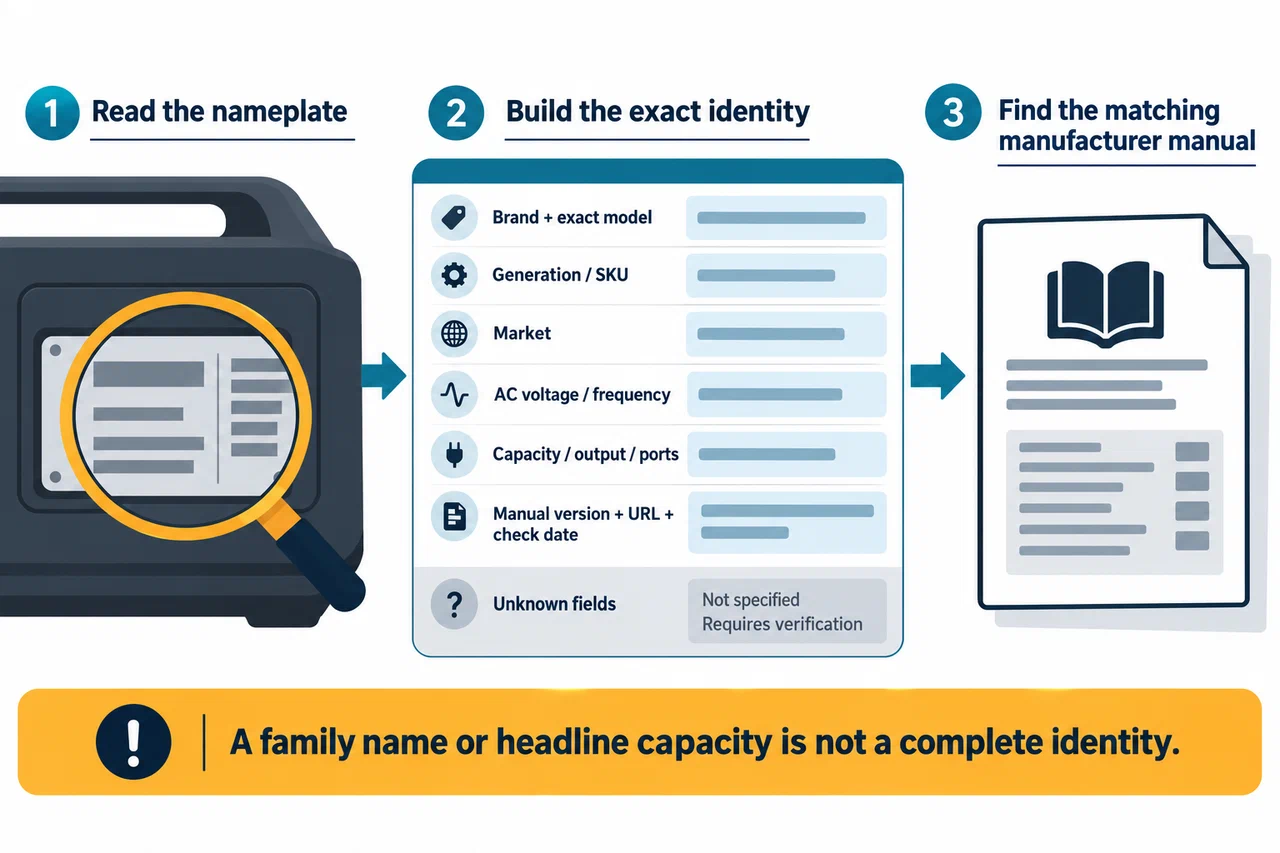
“Not specified” is a useful result. It means the source you checked does not establish a value; it does not prove the station lacks the feature.
Check the regional electrical profile
Look at rated AC voltage and frequency before comparing output wattage. A North American 120 V/60 Hz profile and a European 230 V/50 Hz profile are not interchangeable just because the model name or capacity looks familiar. Plug shape, outlet count, frequency selection, and connected-device requirements also matter.
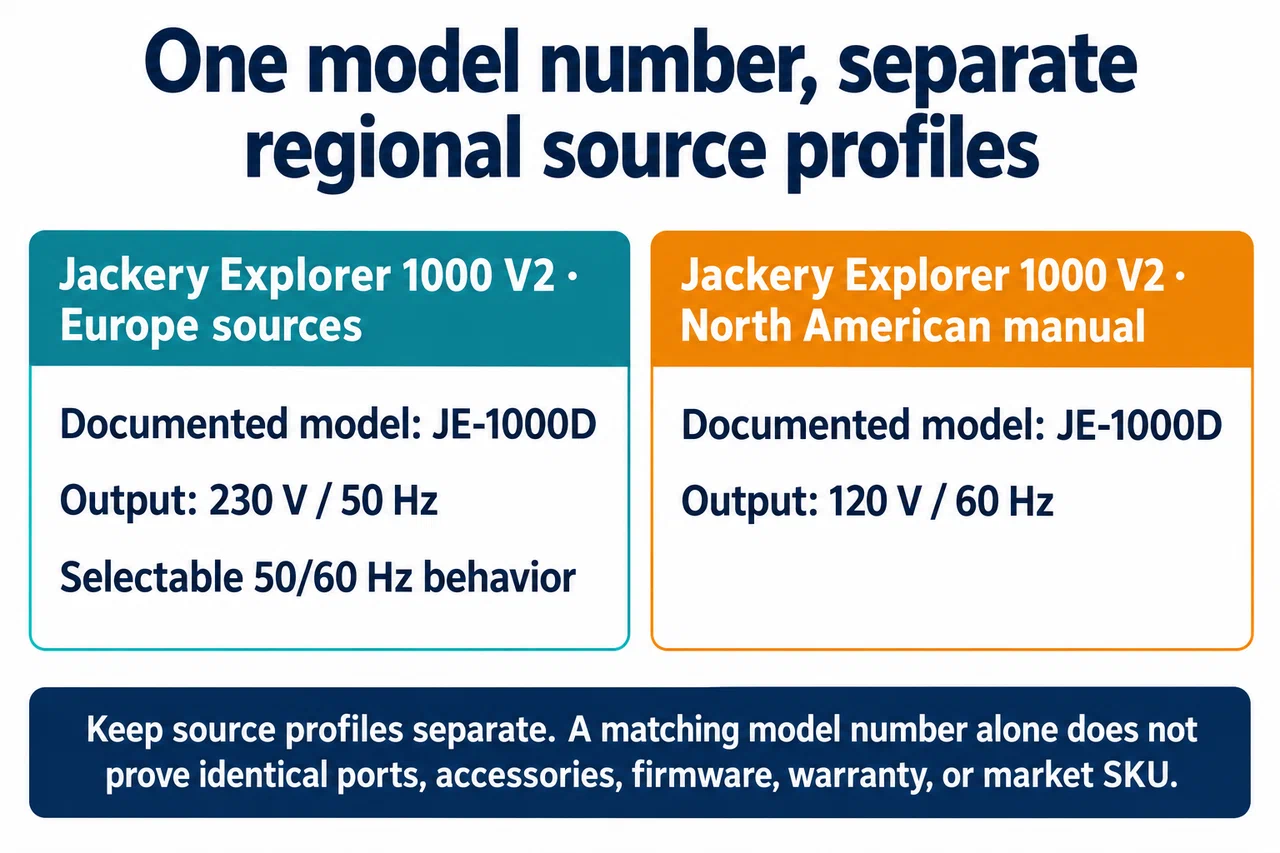
For example, Jackery’s European Explorer 1000 V2 support record identifies model JE-1000D and a 230 V/50 Hz output profile with selectable 50/60 Hz behavior. The North American user manual identifies JE-1000D with 120 V/60 Hz output. Keep those source-specific profiles separate. A matching model number alone does not establish that every port, accessory, firmware behavior, warranty, or market SKU is identical.
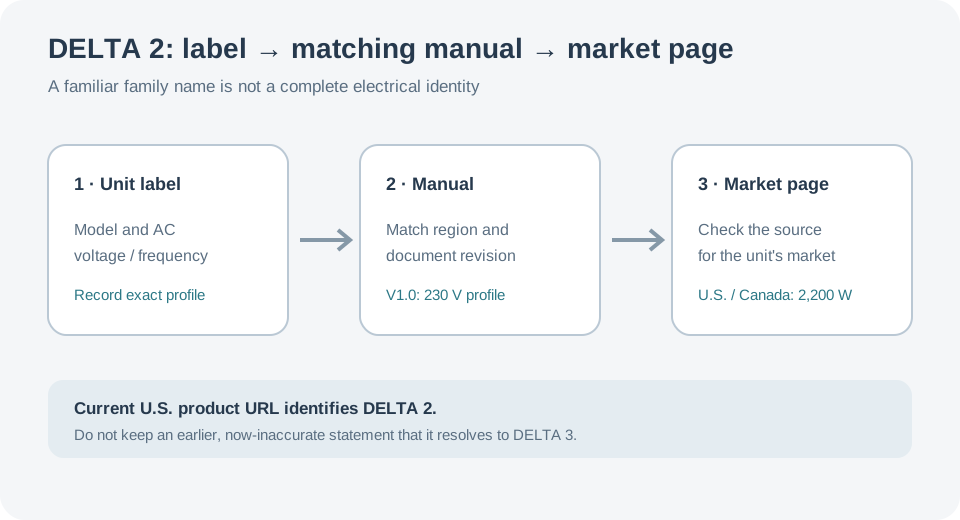
Generation names matter too. EcoFlow’s DELTA 2 manual is not a DELTA 3 manual. The supplied U.S. product URL currently identifies an EcoFlow DELTA 2 page. Do not repeat the earlier statement that it currently resolves to DELTA 3. The 2022 V1.0 manual itself lists a 230 V profile and a 2,400 W maximum X-Boost value, while current U.S. and Canada product pages state up to 2,200 W. Attach each figure to its source and market, and confirm the profile on the unit label before applying it.
Likewise, BLUETTI AC180 and AC180P are separate model names. The AC180 manual lists 1,152 Wh; the AC180P manual lists 1,440 Wh. Their shared 1,800 W rated output does not make their batteries, ports, software settings, accessories, or regional profiles the same.
Variant modifiers can matter even when the headline figures match. EcoFlow’s US DELTA 3 Ultra page presents both Basic and Plus variants at 3,072 Wh and 3,600 W, but lists different direct-DC outputs, solar input ceilings, charging methods, and expansion for the Plus. Preserve the Basic or Plus identity from the actual unit and match it to the correct specification. Do not copy Plus capabilities into a Basic model record.
Resolve a mismatch before using a specification
If the manual and listing disagree, first check that they cover the same generation, market, model number, and document version. Search the manufacturer’s support page for a model-specific record. Do not select whichever number seems newer or more favorable without establishing why it applies.
If the exact unit remains unclear, pause the comparison. Send the manufacturer a photo of the nameplate and ask which manual and accessory limits apply. A warranty card, seller title, shipping region, or connector shape by itself cannot prove a different electrical profile.
Once identity is settled, use the specification-sheet decoder to interpret the fields. For a shortlist, use the comparison guide, which starts with model and market selection before ranking any capability.