Runtime for a Router, Modem, or Satellite-Internet Setup
Budget the whole network stack from measured energy and verify approved AC, DC, or USB Power Delivery paths for each device.
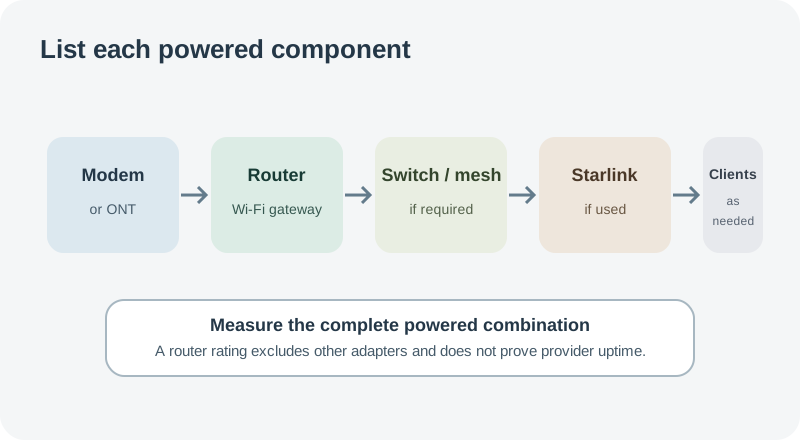
Internet backup is a system load. A cable or fiber connection may need an ONT or modem, router, mesh access points, switches, and any provider equipment. A Starlink Mini has integrated Wi-Fi but other network devices may still be part of the intended setup. List each powered component and the service path you need before measuring; a router-only figure cannot predict whole-network runtime or whether the provider will maintain service during an outage.
Inventory every powered device
Write down each model, adapter, input voltage, output voltage and current, plug, polarity, and any manufacturer-approved power option. NETGEAR’s router table says consumption for its listed models does not exceed the corresponding adapter rating. That is a model-specific ceiling, not a measurement of normal or idle demand. The NETGEAR CM500 modem manual specifies a 12 V, 1.5 A adapter output, which is an 18 W arithmetic ceiling; it does not say the modem continuously draws 18 W. Include separately powered ONTs, routers, satellites, switches, and terminals in the inventory.
Verify each power path
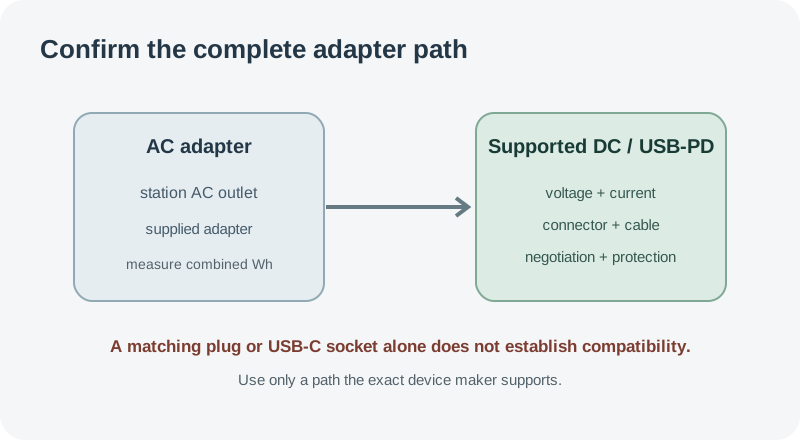
Use each device’s supplied adapter from a station AC outlet unless its manufacturer documents a supported alternative. Direct DC is not automatically more efficient or compatible: verify voltage range, polarity, connector, current capability, cable, fuse, and any power-negotiation requirement. Do not use a similar-looking barrel plug, improvised cable, or generic USB-C source as proof of compatibility.
For Starlink Mini, current official sources give different lower bounds. The Help Center lists 20–40 W average AC input and 15 W idle, while the Mini specification sheet lists 25–40 W average consumption. The Help Center says its figures include Starlink, Wi-Fi router, supply, and cables; the sheet does not reconcile the 20 W versus 25 W lower figure. Preserve the source distinction instead of selecting one as a guaranteed draw. The Mini specification sheet separately lists a 12–48 V DC / 60 W input rating and, for the named Starlink USB-C-to-barrel-jack cable accessory, a minimum 100 W USB Power Delivery source at 20 V / 5 A. These are input requirements, not measured operating use or evidence that an arbitrary station port and cable will work.
Measure the full service load and estimate
Measure the whole stack at the station output during the states that matter: startup, active traffic, normal idle, and any expected terminal activity. Record which devices and services were on. For AC adapters, an outlet energy meter can measure the combined draw; if the station reports output Wh, use that total across a representative interval. A single adapter label or instant watt reading is not enough to calculate daily energy. Include the inverter’s own idle consumption when AC stays on for long periods, if the station reports or lets you measure it separately.
For an overnight or workday budget, include a laptop, monitor, or other client device if it also uses the station. Divide usable energy on the selected output by measured Wh per hour or day, keeping reserve for activity, temperature, startup, and cutoff. Measure DC and AC separately if both are supported. Do not assume the lower-voltage path lasts longer without measuring the full stack.
Runtime describes the energy budget only. It does not guarantee that a cable provider, fiber network, cellular service, or satellite link stays available, or that the provider’s local equipment has backup power. Test the exact station and network stack before relying on it. Use the runtime calculator after measurement and review continuous output and startup surge for the station’s limits.